Network Device Inventory: How to Build and Maintain One
Published
- network device inventory
- network asset inventory
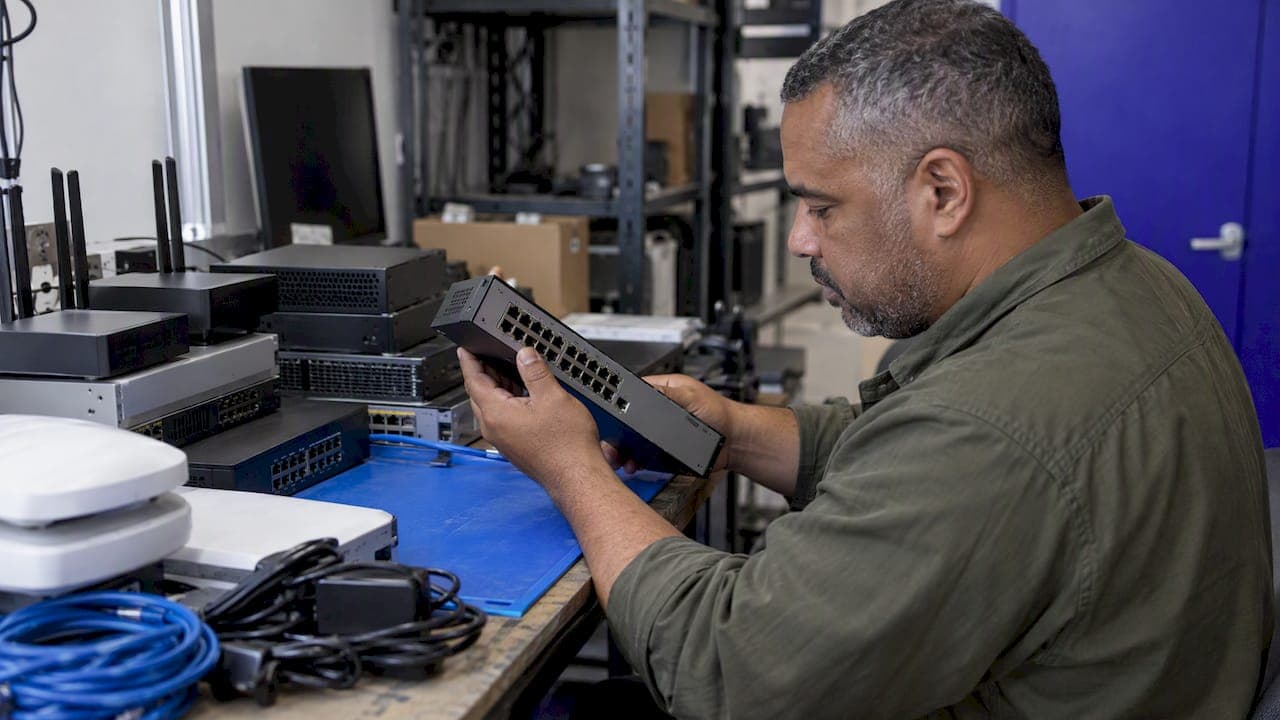
A network device inventory is a current, verified list of every device that connects to your network, with the details needed to manage, secure and support each one. It covers routers, switches, firewalls, access points, servers and IoT hardware. The list only has value if it is accurate today, so the work is less about creating it and more about keeping it true.
This guide covers what to record, how to discover devices, how to separate what you expect from what is actually there, and how MSPs and multi-site IT teams keep the inventory from going stale.
TL;DR
- A network device inventory lists every IP-addressable device on your network with identity, role, location and owner. It is not a one-time spreadsheet.
- Keep two records: a "desired state" list of authorized hardware and an "actual state" list from discovery. The gaps between them are your findings.
- Automate discovery. CISA states that manual methods are too slow and expensive to keep up with modern attacks.
- Use low-privilege service accounts for discovery scans, never production admin credentials.
- Assign an owner to each device and schedule reconciliation, or the inventory will drift within weeks.
Table of Contents
- What a network device inventory is, and what it is not
- What to record for each device
- Desired state versus actual state
- How to discover devices
- Automate it, because manual lists decay
- Keep it accurate: ownership and routine
- Multi-site and MSP inventories
- Our perspective
- Put the inventory to work with Netverge
- A 30-day plan to get started
- FAQ
- Sources
What a network device inventory is, and what it is not
A device inventory answers four questions at any moment: what is on the network, where it is, what it does, and who is responsible for it.
CISA's hardware asset management guidance defines a device as any hardware asset that is addressable and connected to the organization's network. The federal directive BOD 23-01 uses a similar scope: all IP-addressable networked assets reachable over IPv4 and IPv6. That includes servers, routers, switches and firewalls, and it includes devices nobody remembers buying.
Three things an inventory is not:
- A purchasing record. Procurement tells you what you bought. It does not tell you what is plugged in.
- A one-time audit. A snapshot is out of date the day a technician swaps a switch or an employee adds an access point.
- A security tool on its own. It is the base for security. Without it, segmentation, zero trust and incident response have nothing to stand on. CISA's OT guidance treats the inventory as a foundation of a defensible architecture, not a list for its own sake.
If you also search for "network asset inventory," it is the same idea. Some teams use "asset" when they include software, licenses and warranties, and "device" when they mean the connected hardware. Start with devices. Extend later.
What to record for each device
More fields are not better. Record what you will use to make decisions, and make sure each field can be filled automatically or has a named person who maintains it.
CISA's asset inventory guidance recommends recording hostnames, asset roles, asset criticality, IP addresses, communication protocols and unique identifiers such as serial numbers. Here is a practical field set built on that list.
| Field group | Fields | Why it matters |
|---|---|---|
| Identity | Hostname, serial number, MAC address, make and model | Distinguishes one device from another, supports warranty and RMA claims |
| Addressing | IP address, VLAN, subnet, management interface | Locates the device and shows segmentation |
| Role | Function (core switch, edge firewall, AP), criticality tier | Sets priority during outages and patching |
| Software state | OS or firmware version, last config change | Shows exposure to known vulnerabilities |
| Location | Site, building, rack or closet, port connection | Lets a remote technician or on-site hands find it |
| Ownership | Responsible team or person, client or tenant (for MSPs) | Gets a question answered when something looks wrong |
| Lifecycle | Install date, warranty or support end, planned replacement | Supports budgeting and refresh planning |
The criticality field is the one most teams skip, and it is the one that helps most. CISA's guidance describes a taxonomy that classifies assets by function, criticality and role. A three-tier scale is enough: business-critical, important, and low impact.
Desired state versus actual state
This is the most useful idea in network inventory work, and many tools blur it.
- Desired state is the authorized list: the devices you intend to have, with their expected configuration and owner.
- Actual state is what discovery finds on the wire right now.
CISA describes the process as comparing the desired state against the actual state, with the goal of finding unauthorized, unmanaged or missing devices. Each mismatch falls into one of three groups:
- Unknown device: present on the network, absent from the desired list. It might be a contractor laptop, a rogue access point or a forgotten printer. Investigate it.
- Missing device: on the list, but not seen. It may be powered off, replaced, retired or failed.
- Changed device: present in both, but with a different firmware version, IP address or location than recorded.
The same CISA material cautions that sensors alone cannot reliably tell authorized from unauthorized devices without certificate-based authentication, which is often hard to deploy. So do not treat a discovery tool as the source of truth for authorization. Keep a maintained desired-state record and compare discovery against it. Network access control can enforce the result; our guide to network access control devices covers that step.
How to discover devices
CISA lists the typical identification methods: passive traffic monitoring, active IP range scanning (for example with nmap), DHCP log mining and NAC integration. Each has strengths and blind spots.
| Method | Finds | Misses |
|---|---|---|
| Active scanning (ping, port, SNMP) | Anything that answers on a scanned range | Devices that block probes, segments you did not scan |
| Passive traffic monitoring | Devices that talk, including quiet ones that ignore probes | Devices that are silent during the observation window |
| DHCP log mining | Every device that requests a lease | Static-IP devices |
| Switch CAM and ARP tables | What is physically connected to each port | Anything off the switches you query |
| NAC integration | Devices at the point of connection, with policy | Environments without NAC coverage |
No single method is complete. Combine at least two, and always include one that does not depend on devices answering a probe. Static-IP gear such as printers, cameras and building controllers is where scanning alone fails most often. For the mechanics of range scans and what to do about the results, see our guide on how to scan a network for devices. If DHCP logs are part of your discovery, our walkthrough on diagnosing enterprise DHCP with packet captures helps when lease data looks wrong.
Scan safely
Discovery needs credentials to read SNMP, SSH or WMI details. Do not run autodiscovery with production-grade admin credentials. Create dedicated low-privilege service accounts for discovery. Reusing high-level credentials can cause account lockouts that become network outages, or trigger security alerts that disrupt operations.
A few more habits for the first scan:
- Tell the security team before you start. A scan looks like reconnaissance.
- Start with one site or one VLAN, check results against what you know, then widen.
- Schedule scans outside business hours at fragile sites, such as those with legacy gear or OT equipment.
- Store discovery credentials in a vault and rotate them.
Automate it, because manual lists decay
CISA's position is that the actual-state process must be automated, since manual methods are too slow and expensive against automated attacks. NIST's Cybersecurity Framework implementation levels point the same way. The top asset management level is described as automated asset tracking with real-time validation and visualization, and the bottom level is ad hoc tracking.
Use that as a maturity ladder for your own team:
- Ad hoc: a spreadsheet updated when someone remembers.
- Scheduled: periodic scans imported into a database, reviewed monthly.
- Continuous: discovery runs constantly, new devices raise an alert, and the map updates itself.
Most small IT teams sit at level one or two. Moving to level three does not need a large project. It needs continuous discovery, a desired-state list and an alert when the two disagree. CIS Control 1 makes the same point for the whole enterprise: the inventory should include assets connected physically, virtually, remotely and in cloud environments.
Keep it accurate: ownership and routine
Tools find devices. People keep the inventory trustworthy. Set these up on day one:
- One owner per device. NIST describes mature asset management as knowing each asset's role, where it resides and who is responsible for it. An unowned device is the one that never gets patched.
- Intake and retirement steps. Add the device to the desired list when it is installed. Remove it when it is decommissioned. Tie both to your change or ticket process.
- Weekly review of unknowns, monthly review of missing devices. Keep the queue small. A long list of ignored mismatches teaches everyone to ignore it.
- Access control on the inventory itself. The list of every device, address and role is sensitive. Give technicians, clients and auditors only what they need. This is the same least-privilege idea that role-based access for IT teams applies to shared systems: one role per job function instead of dozens of individual permissions.
NIST also notes a limit of physical-only records: a system that tells you where a computer is cannot tell you what operating system it runs or whether it is exposed to the latest threat. That is why location, software state and role belong in the same record.
Multi-site and MSP inventories
Distributed environments add three problems that a single-office checklist does not cover.
Separation by client or site. An MSP needs each client's devices isolated in its own tenant, with its own access rules. A technician working on one client should not see another's addresses.
Overlapping address space. Two clients can both use 192.168.1.0/24. Identify devices by site plus identifier, never by IP alone.
No one on site. When a branch has no IT staff, discovery has to run from a device placed at that location. Without a local vantage point, you only see what the WAN link shows. Our guide to distributed network operations covers running many sites from one place, and step by step network visibility walks through building that view in stages.
Operational technology adds another wrinkle. NCCoE notes that OT environments often lack asset management because of limited resourcing, geographically distributed assets and operational constraints. If your clients include manufacturing, utilities or building systems, use passive discovery there first.

Our perspective
We build network monitoring for MSPs and multi-location enterprises, and the same pattern shows up in how teams treat inventory: it lives in one tool, monitoring lives in another, and tickets and documentation live in two more. Each holds a slightly different list of devices. Nobody trusts any of them.
Our view is that the device inventory should not be a separate project. It should be a by-product of monitoring. When the platform that watches your network also discovers devices, records them against a site and client, and attaches documentation and tickets to each one, the inventory updates itself. A new device appears because it was seen, not because someone typed it in.
This is the reason we use physical and virtual Vergepoints placed at each location. They give a local vantage point at sites where no one is on hand, so discovery covers what is actually connected there. A knowledge graph then links each device to its site, its client, its history and the tickets raised against it, so the question "what changed on this switch?" has an answer in one place.
Our advice, whatever tools you use: keep a desired-state list, discover continuously, assign an owner to every device, and review the differences on a schedule. If you do only those four things, you will have a better inventory than most organizations.
— Jim
Put the inventory to work with Netverge
If you manage many sites or clients and want discovery, monitoring, documentation and ticketing in one platform, start a free trial and see your devices mapped by site. Pricing is published: the Starter Package is $299 per month. Hardware Vergepoints are $49 per month per device and Software Vergepoints are $29 per month each, as listed on our pricing guide. You can estimate your own total with the pricing calculator, or read how Vergepoints provide on-site visibility. Prefer a walkthrough? Request a demo.
A 30-day plan to get started
| Week | Action | Result |
|---|---|---|
| 1 | Define scope: which sites, clients and device types. Pick your field set. Create low-privilege discovery accounts. | Agreed scope and safe credentials |
| 2 | Run discovery on one site with two methods, for example active scan plus DHCP logs. Compare to what you know. | A validated first inventory |
| 3 | Build the desired-state list from the results. Assign owners and criticality tiers. | Authorized baseline |
| 4 | Extend discovery to remaining sites. Set alerts for unknown devices. Schedule recurring reviews. | A living inventory |
When you find an unknown device, treat it as a possible incident until proven otherwise. Our network incident response guide outlines how to triage it, and the network security practices for MSPs cover the controls that should follow.
FAQ
What does network inventory mean?
It is a maintained record of the devices on your network and the details that describe them: identity, address, role, location, software version and owner. Its purpose is to let you manage, support and secure what you have. A list that is not kept current does not count as an inventory.
How can I get a list of all devices on my network?
Run more than one discovery method: an active scan of your IP ranges, a review of DHCP logs and the ARP or MAC tables on your switches. Passive monitoring helps find devices that ignore probes. Use a low-privilege account for the scan, then compare results against what you expect to see.
How often should a network device inventory be updated?
Continuously, where you can. If you are scanning on a schedule, weekly is a reasonable minimum for active sites, with unknown devices reviewed as soon as they appear. NIST's top maturity level describes real-time validation, so aim to move toward that over time.
What is the difference between a device inventory and an asset inventory?
In practice the terms overlap. A device inventory focuses on connected hardware that has an IP address. An asset inventory is wider and can add software, licenses, contracts and warranties. Most teams start with devices and expand.
Sources
- CDM Hardware Asset Management Capability, CISA
- BOD 23-01 Implementation Guidance, CISA
- Foundations for OT Cybersecurity: Asset Inventory Guidance, CISA
- Cybersecurity Framework Implementation Levels, NIST
- SP 1800-5, IT Asset Management, NIST CSRC
- Operational Technology Asset Management, NCCoE
- CIS Control 1: Inventory and Control of Enterprise Assets
- Autodiscovery Best Practices, Device42