Your ticketing is painful. Try ours.
A modern service desk built around conversation, designed for scale. Smart queues auto-categorize by type. AI agents triage, diagnose, and draft client communications before your team even opens the ticket.
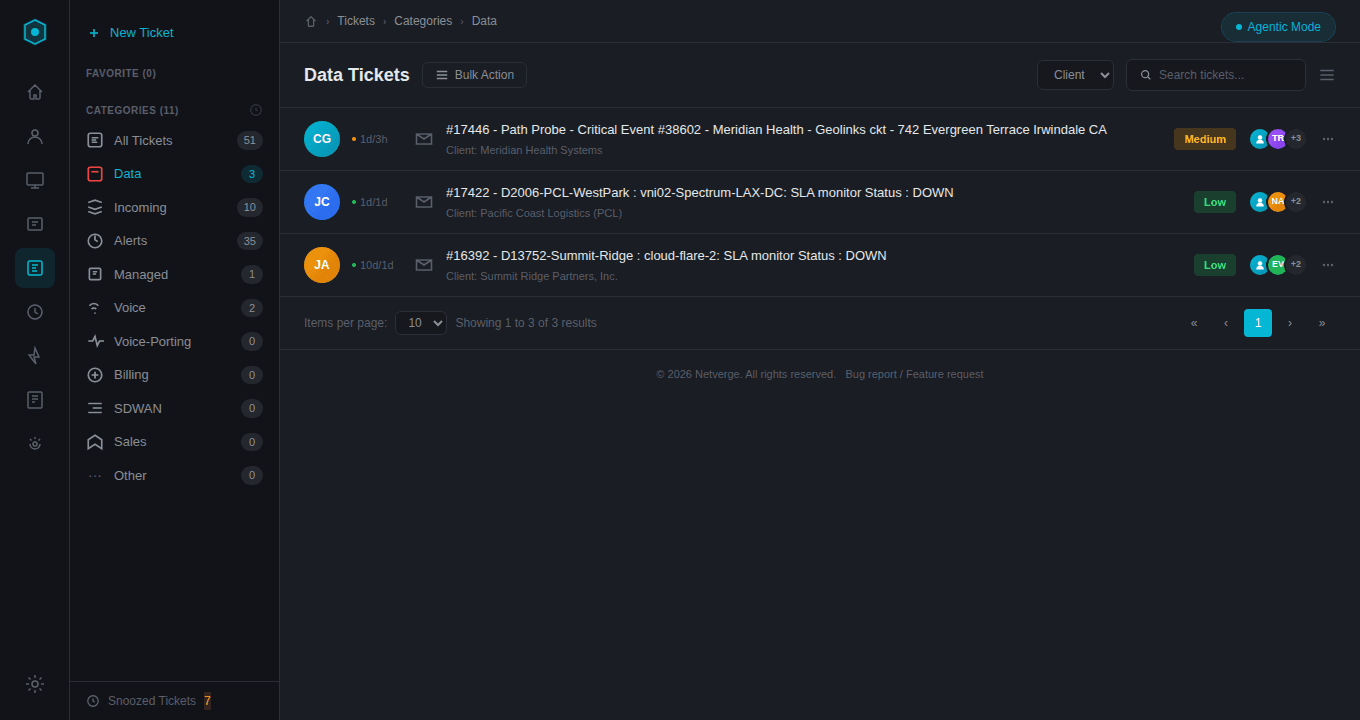
Data Tickets Queue
Sorted by category with priority badges, client context, and team assignments
Smart Categories That Organize Your Queue
Every ticket is automatically routed into a category based on its source, type, and affected services. Your team always knows where to focus. Each category maintains its own queue, counts, and priority views.
Alerts
AI-triaged monitoring alerts with automatic severity classification
Incoming
New tickets from email, portal, or automated systems
Managed
Actively managed tickets with assigned engineers
Data
Circuit and connectivity issues with full service context
Voice
Phone system and VoIP related tickets
SDWAN
SD-WAN infrastructure and overlay network issues
Billing
Account, invoice, and billing-related requests
Voice-Porting
Number porting and telecom transition tickets
Full Context at Every Step
Every ticket carries its complete context. Contacts, locations, services, and assets are linked automatically from your knowledge graph, so engineers never waste time hunting for information. Click any linked item to drill into its full record.
- Contacts with starred primary and searchable picker
- Locations auto-linked from the knowledge graph
- Services with real-time up/down status indicators
- Assets tied to monitoring sensors
- Category, priority, and status controls inline
- Assign multiple engineers to collaborate
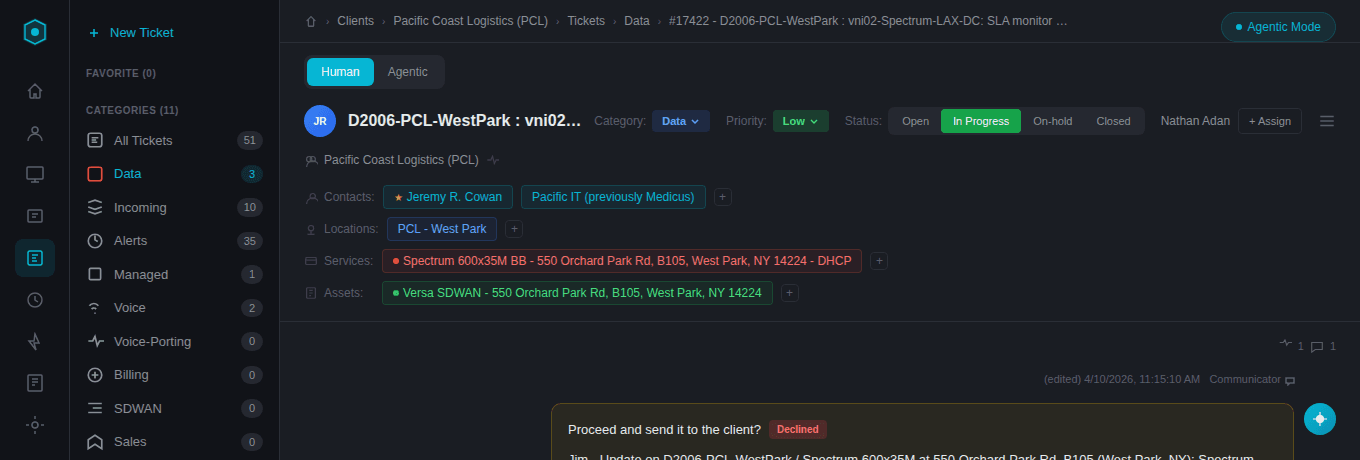
Ticket Detail
Linked contacts, locations, services, and assets
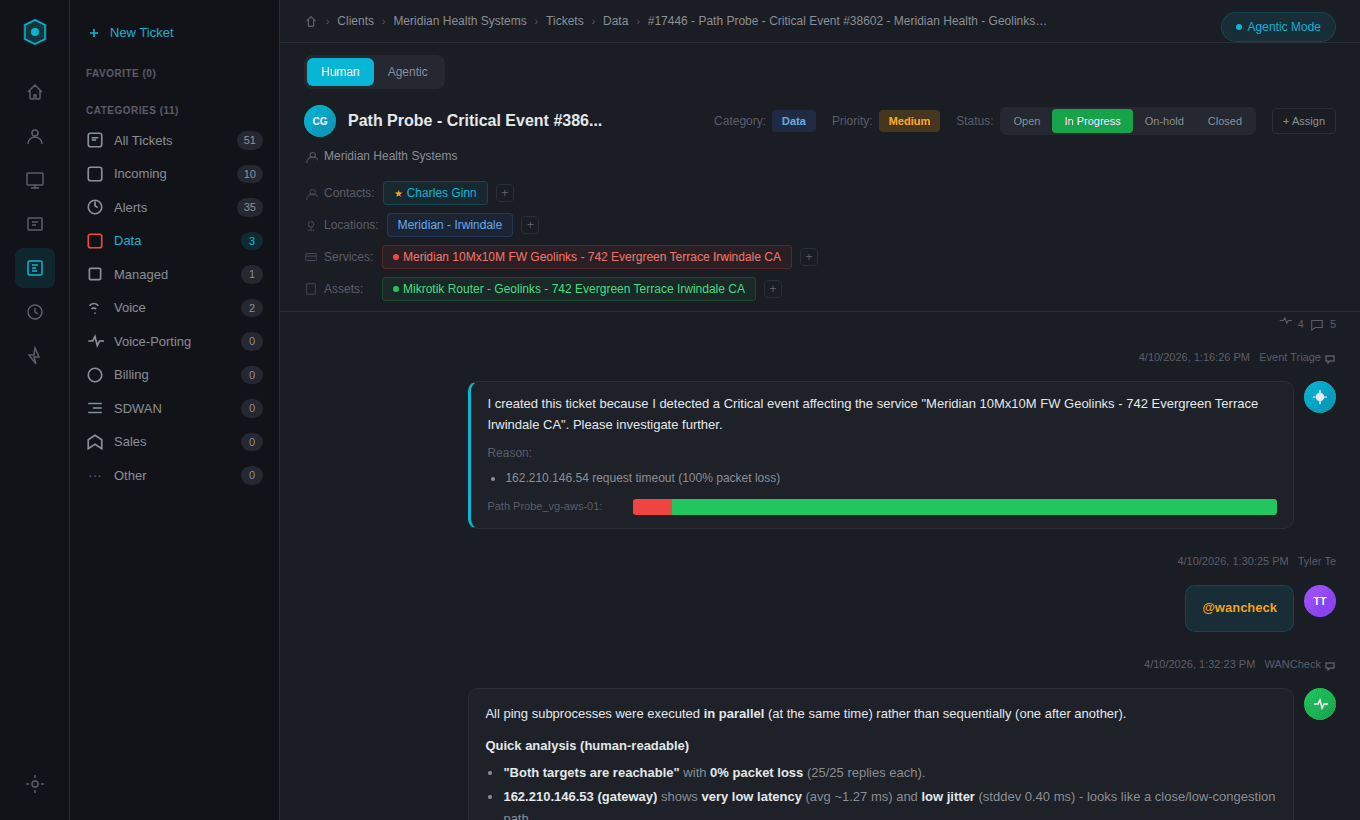
AI-Powered Triage
Event Triage + WANCheck diagnostics posted directly in-thread
AI-Driven Triage, Before You Even Start
When an issue is detected, the Event Triage agent automatically creates a ticket with full diagnostic context. WAN Check agents run concurrent ping and traceroute analysis across all affected targets and post structured findings directly into the ticket thread. Your engineers get the full picture before they even open the ticket.
 Event Triage agent auto-creates tickets from critical events
- Path Probe visualization shows availability history at a glance
- @wancheck runs concurrent ping and traceroute across multiple targets
- Structured packet loss and latency analysis posted in-thread
- Engineers see full diagnostics before starting work
AI Agents That Talk to Your Clients
When you need to update a client, just @mention the Communicator agent. It reads the full ticket context, drafts a professional email, and presents it for your approval. Confirm to send, or decline and it will revise. You stay in control while the AI handles the heavy lifting.
- @mention any AI agent directly in the conversation thread
- Communicator drafts professional client notifications with full context
- Confirm/Decline workflow keeps humans in the loop
- Agents show real-time "thinking" status while working
- Works alongside human @mentions for team collaboration
Tag team members with @mentions using a searchable people picker. Mention AI agents like Communicator, WANCheck, Diana, or DocNow. Each has a specialized role and responds directly in the ticket thread.
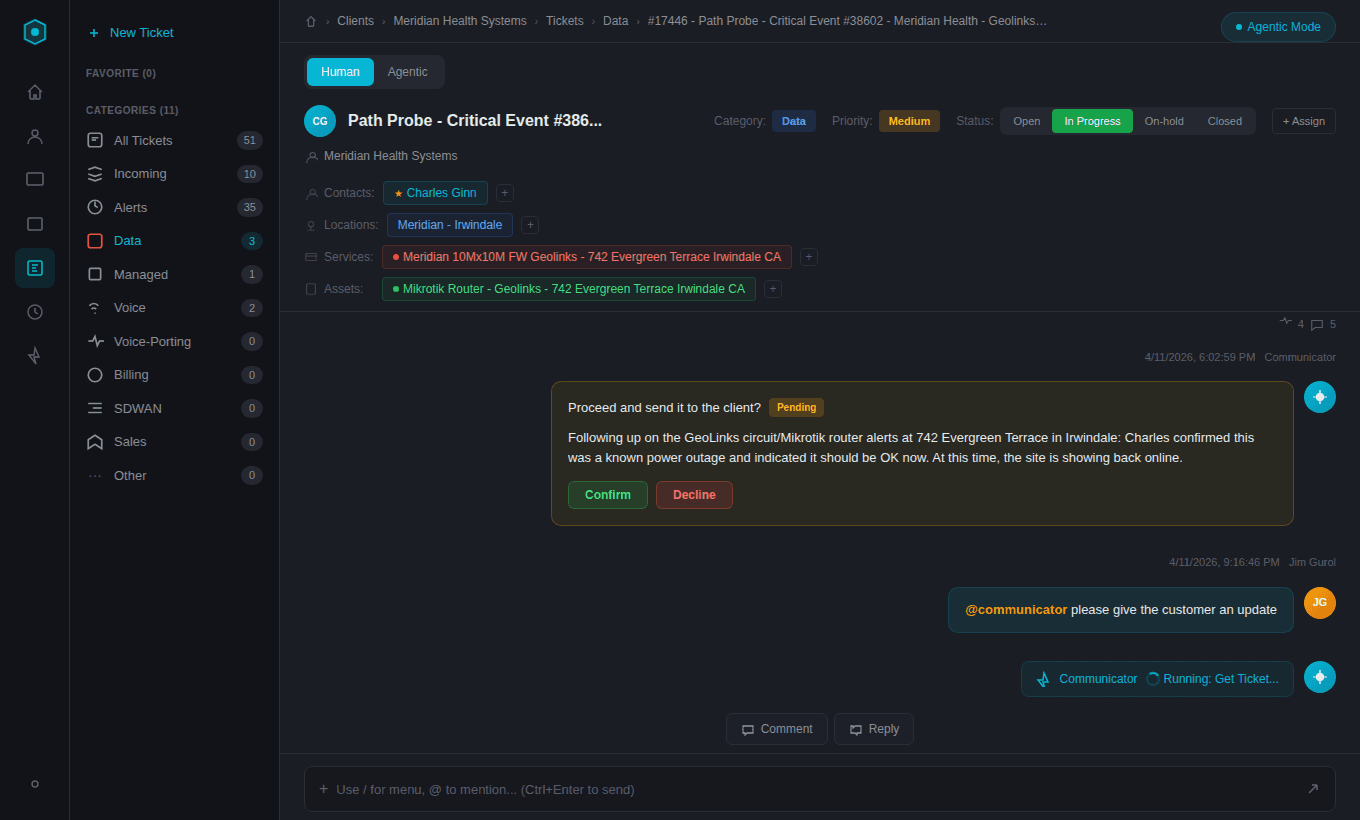
AI Agent Communication
Communicator drafts client emails with Confirm/Decline approval
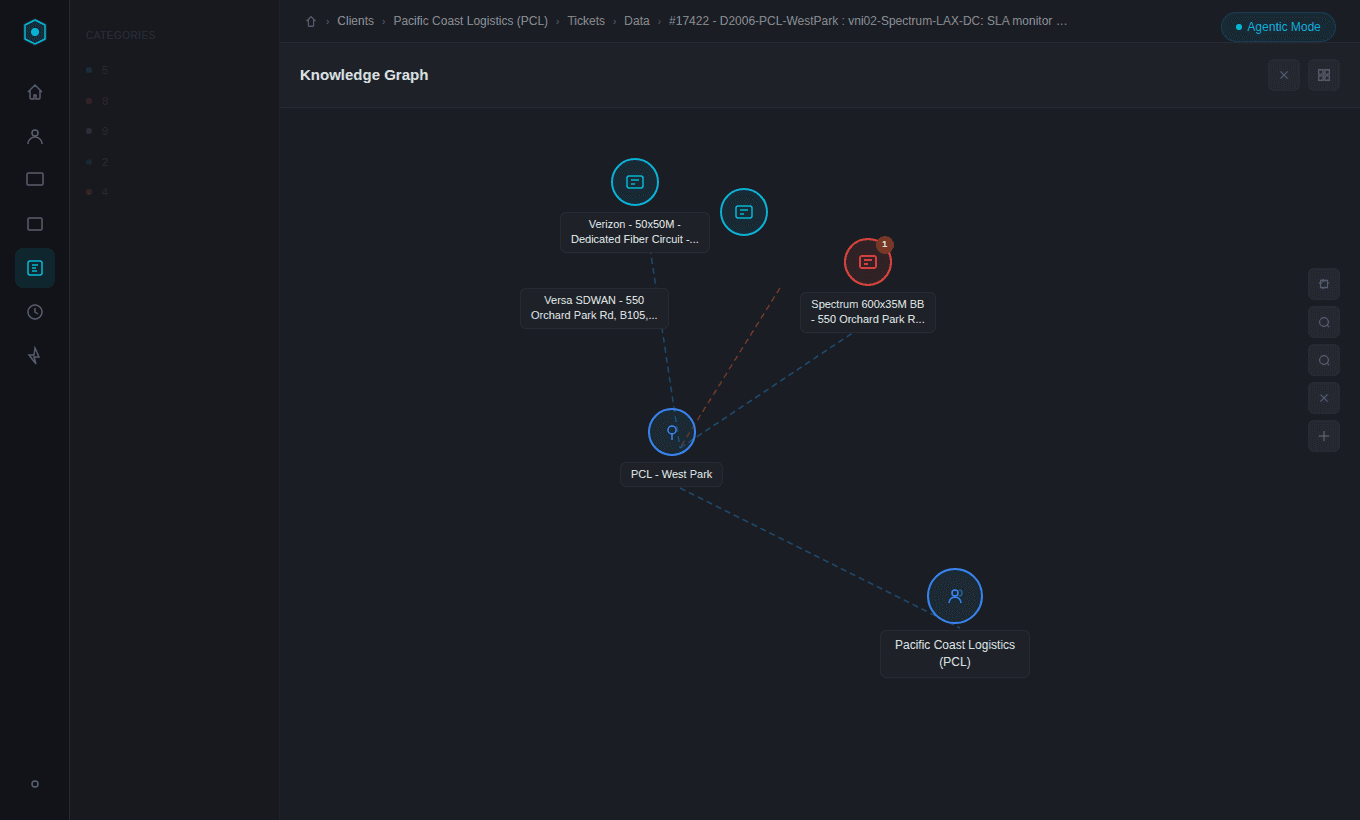
Knowledge Graph
Service, location, and client relationships
See How Everything Connects
Every ticket links into the Netverge knowledge graph. Visualize the relationships between clients, locations, services, and assets in an interactive map. Understand impact at a glance and trace issues to their source.
- Interactive visual map of all linked entities
- Services color-coded by status (green = up, red = down)
- Trace from a single ticket to the full client infrastructure
- Zoom, pan, and expand to explore relationships
- One-click access from the ticket actions menu
Built-In Workflow Tools
Every ticket comes with a full toolkit. Snooze tickets that are waiting on a vendor. Split complex issues into sub-tickets. Escalate when priority changes. View the full audit trail of every action, assignment, and status change since creation. Merge related tickets and link to related events.
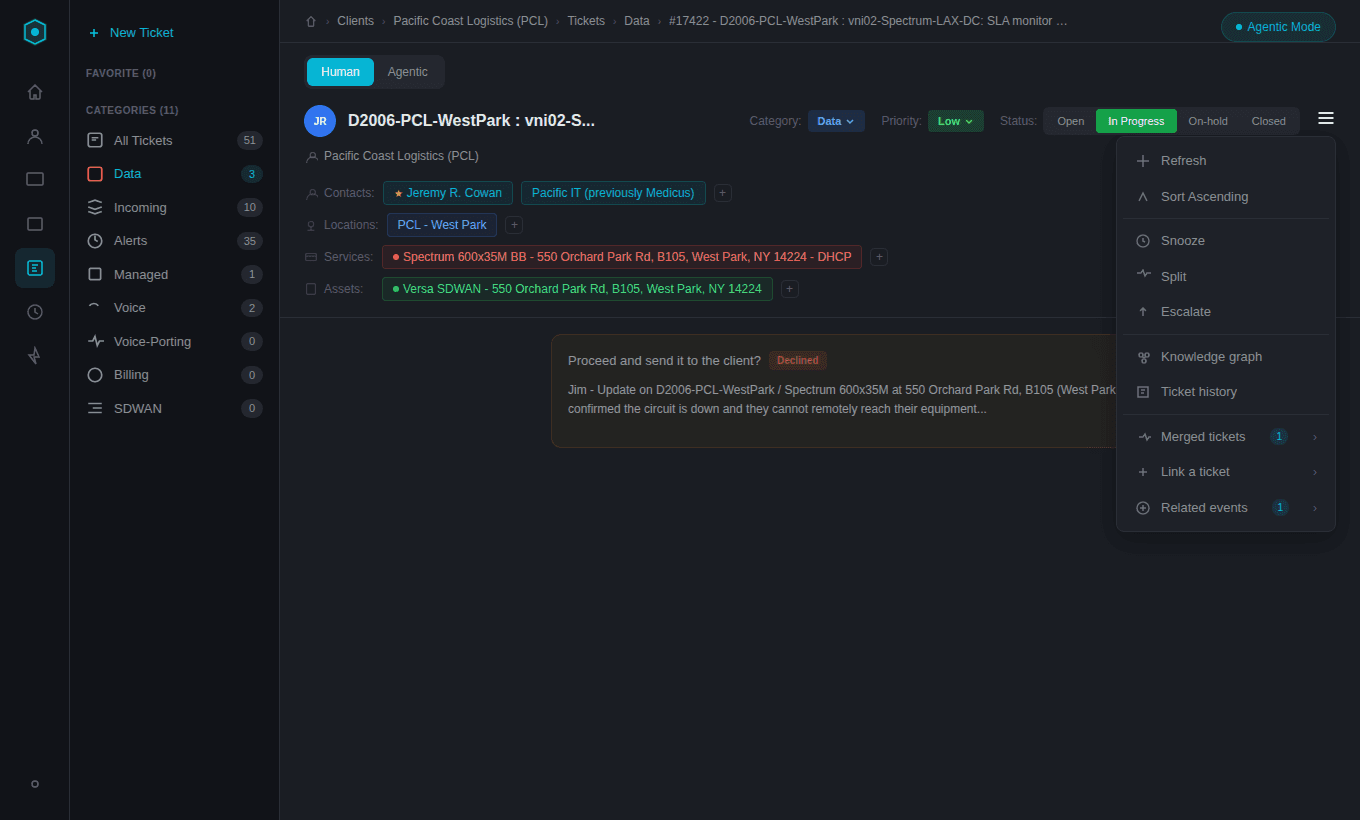
Ticket Actions
Snooze, Split, Escalate, Knowledge Graph, History, and more
Built for Real Teams
Every feature is built around how teams actually work, not how software thinks they should.
AI Agents
Automated triage, diagnostics, reminders, and client communication. Agents respond to @mentions in the ticket thread.
Auto-Correlation
Related tickets, assets, services, and events are linked automatically through the knowledge graph.
Full Audit Trail
Every action is logged with user, timestamp, IP address, and changes. Filter by user, action type, or date range.
Multi-Tenant
Manage all clients from a single unified portal. Each ticket carries full client context.
Ready to Experience the Future of Network Operations?
Start Using Netverge
30-day free trial · No charge until day 31 · Cancel anytime