Network Devices Explained: A Beginner's Simple Guide
Published
- how do network devices work
- what is a router
- functions of network devices
- network infrastructure devices
- network device examples
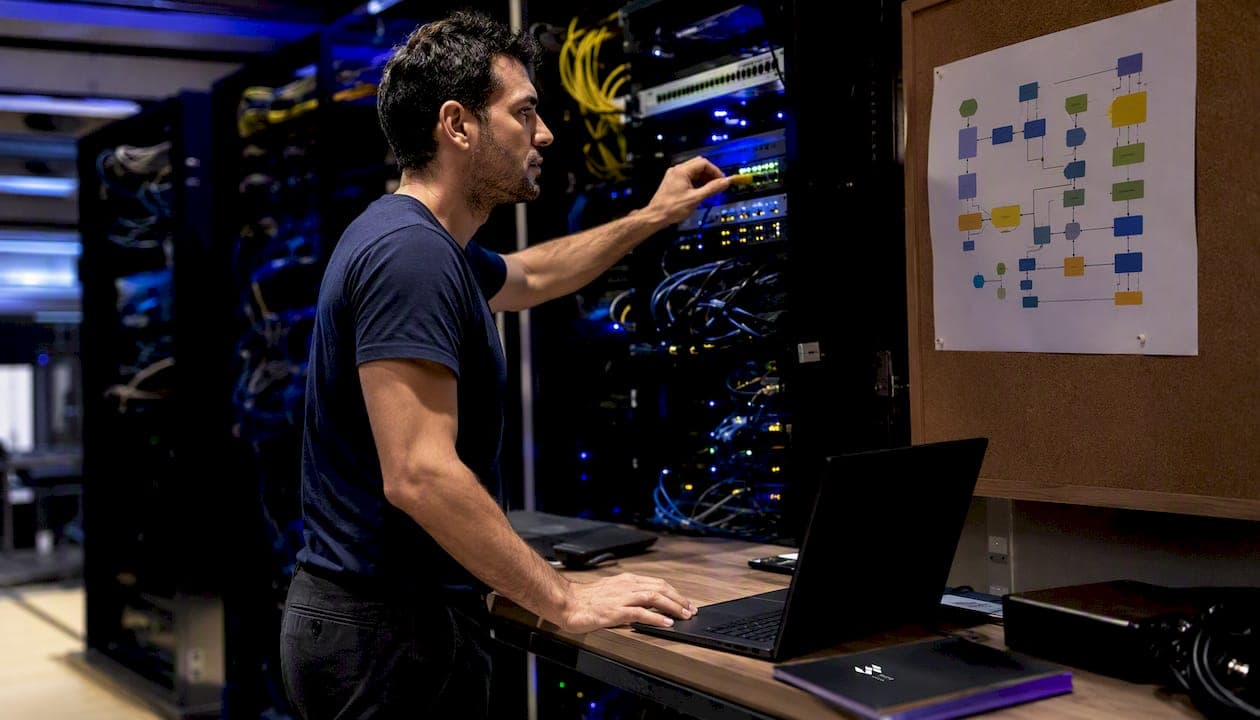
Network devices are hardware components (and sometimes software-defined equivalents) that manage data transmission, control traffic flow, and connect systems within a computer network. The industry term for this category is networking hardware, though "network devices" is the phrase most practitioners use day-to-day. Common examples span every layer of the OSI model: hubs, repeaters, modems, and NICs at the physical layer; switches, bridges, and access points at the data link layer; routers and multilayer switches at the network layer; and higher-layer appliances like gateways, firewalls, load balancers, and IDS/IPS systems.
Three functions cover most of what these devices actually do:
- Forward and bridge traffic — switches and routers move data toward its destination using MAC addresses or IP addresses.
- Translate and proxy — gateways and NAT devices convert between protocols or address spaces so different networks can communicate.
- Filter and secure — firewalls and IDS/IPS systems inspect traffic and block threats before they reach critical systems.
Table of Contents
- How network devices map to the OSI model
- Common network devices and what each one actually does
- How network devices actually process your traffic
- How to choose the right network device for your environment
- How modern teams monitor and manage network devices
- Key Takeaways
- Why device roles matter more than device names
- Useful sources
How network devices map to the OSI model
The OSI model gives every network device a home. Knowing which layer a device operates at tells you exactly what kind of address it reads, what it can and cannot do, and where to look when something breaks.
| OSI Layer | Layer Name | Devices | Address/Signal Handled |
|---|---|---|---|
| Layer 1 | Physical | Hub, Repeater, Modem, NIC | Raw electrical/optical signals, bits |
| Layer 2 | Data Link | Switch, Bridge, Wireless Access Point | MAC addresses, frames |
| Layer 3 | Network | Router, Multilayer Switch, Brouter | IP addresses, packets |
| Layer 4–7 | Transport–Application | Gateway, Firewall, Proxy, Load Balancer, IDS/IPS | Sessions, ports, application data |
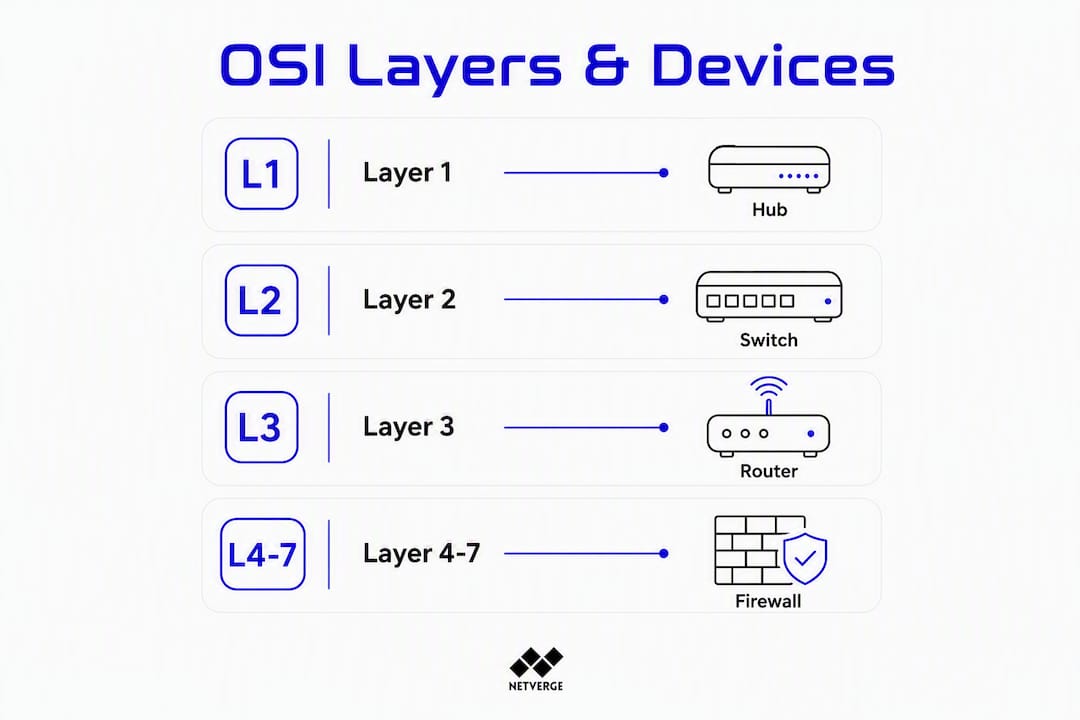
Layer 1 devices have no awareness of addresses. A hub simply repeats a signal to every connected port. A modem converts digital data to an analog signal (or optical pulses) for transmission over a carrier medium. A NIC is the physical interface that connects a host to the network cable or wireless medium.
Layer 2 devices read MAC addresses embedded in Ethernet frames. A switch builds a MAC address table and forwards each frame only to the correct port, eliminating the collision domains that plagued hub-based networks. Bridges do the same job at a smaller scale, typically connecting two network segments.
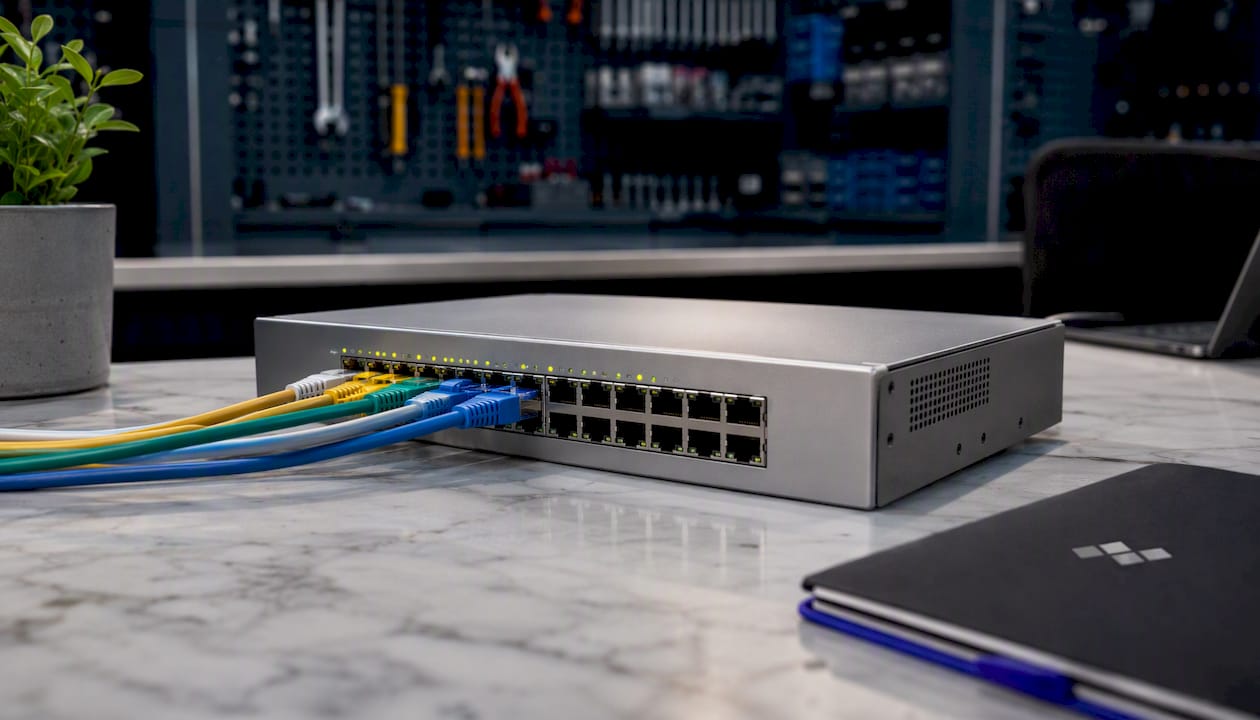
Layer 3 devices read IP headers. A router examines the destination IP address, consults its routing table, and forwards the packet toward the next hop. This is what makes inter-network communication possible — without a router, traffic stays within a single subnet.
Higher-layer appliances operate across multiple OSI layers simultaneously. A firewall inspects Layer 3 IP headers and Layer 4 TCP/UDP ports; a next-generation firewall reaches into Layer 7 application data. Load balancers distribute sessions across server pools. IDS/IPS systems analyze traffic patterns at Layers 3 through 7 to detect and block threats.
Pro Tip: A "multilayer switch" appears in both Layer 2 and Layer 3 contexts because it performs MAC-based switching in hardware and IP routing in software (or dedicated ASICs). When you see one labeled as a "Layer 3 switch," it means it can route between VLANs without a dedicated router — a common design in campus and enterprise networks.
Common network devices and what each one actually does
Understanding each device individually makes troubleshooting and purchasing decisions far more straightforward. Here is a device-by-device breakdown, with real deployment context for each.
1. Hub
A hub connects multiple devices in a LAN and broadcasts every incoming signal to all ports. Hubs are now largely obsolete, replaced by switches in virtually every modern installation. You might still encounter one in a legacy lab environment or a very old small office setup.
- Operates at Layer 1; no MAC address awareness.
- Creates a single collision domain across all ports.
- Unmanaged by definition; no configuration interface.
2. Repeater
A repeater amplifies or regenerates a signal to extend its reach over longer cable runs. Common in older coaxial Ethernet installations and still used in fiber optic links where signal attenuation is a concern.
- Operates at Layer 1; purely signal-level.
- No filtering or forwarding logic.
- Used in long-haul fiber runs and legacy coax networks.
3. Modem
A modem (modulator-demodulator) converts digital data from your network into a format suitable for transmission over a carrier medium — DSL, cable, fiber, or cellular. Your ISP-supplied device at home is almost always a modem combined with a router.
- Operates at Layer 1 (signal conversion) with some Layer 2 framing for DSL/cable protocols.
- Bridges the gap between your LAN and the ISP's WAN.
- Home deployments often use a combo modem/router/WAP unit.
4. Network Interface Card (NIC)
A NIC is the hardware adapter that gives a device its physical connection to the network, whether via an Ethernet port or a Wi-Fi radio. Every networked device has one, from a laptop to a server.
- Operates at Layer 1 (physical) and Layer 2 (MAC address assignment).
- Wired NICs support speeds from 100 Mbps to 100 Gbps in enterprise servers.
- Wireless NICs support various 802.11 standards, including recent Wi-Fi generations.
5. Switch
A switch is the workhorse of modern LAN infrastructure. It forwards frames to specific MAC addresses rather than broadcasting to all ports, which dramatically improves efficiency and security.
- Unmanaged switches have no configuration interface — plug in and go. Suitable for home networks and small offices with simple needs.
- Managed switches support VLANs, QoS, port mirroring, SNMP monitoring, and CLI/GUI management. Required for any environment with segmentation, security, or monitoring requirements.
- Enterprise deployments use modular chassis switches with redundant power and hot-swappable line cards.
Hub vs. switch: A hub broadcasts to every port; a switch forwards only to the correct port. In a 24-port hub, every device sees every other device's traffic. In a 24-port switch, each device gets a dedicated path. The performance and security difference is substantial.
6. Bridge
A bridge connects two network segments at Layer 2 and filters traffic between them based on MAC addresses. Bridges predate modern switches; a switch is essentially a multi-port bridge with hardware acceleration.
- Bridge vs. switch: A bridge typically has two ports and connects two segments. A switch has many ports and connects many devices. Functionally similar, but switches replaced bridges in most deployments.
- Still relevant in wireless bridging scenarios (connecting two buildings via a point-to-point wireless link).
7. Wireless Access Point (WAP)
A WAP connects wireless clients to a wired LAN. It operates at Layer 2, translating between 802.11 wireless frames and Ethernet frames.
- Home routers include a built-in WAP; enterprise environments deploy dedicated WAPs on a separate controller or cloud management platform.
- Enterprise WAPs support multiple SSIDs, VLAN tagging, band steering, and centralized RF management.
- PoE-powered WAPs simplify installation by eliminating the need for a local power outlet.
8. Router
A router directs packets between networks using IP addresses and routing tables. It is the device that connects your LAN to the internet and separates your internal network from external traffic.
- Operates at Layer 3; reads IP headers, not MAC addresses.
- Performs NAT (Network Address Translation) in home and SMB deployments, allowing many private IP addresses to share one public IP.
- Enterprise routers support dynamic routing protocols (OSPF, BGP) and WAN redundancy.
Router vs. gateway: A router moves packets between networks using IP. A gateway translates between different protocols or network architectures — it can include routing but adds protocol conversion. Your home "router" is technically a gateway because it translates between your private LAN and the ISP's network.
9. Gateway
A gateway is a hybrid device that connects networks using different protocols and translates between them. It operates across multiple OSI layers depending on the translation required.
- Common example: a VoIP gateway converts analog telephone signals to SIP packets.
- ISP-provided "gateways" combine modem, router, NAT, and sometimes WAP functions in one unit.
- Enterprise gateways handle protocol conversion between legacy systems and modern IP networks.
10. Firewall
A firewall inspects and filters traffic based on defined rules, blocking unauthorized access while allowing legitimate traffic through. It is the primary security boundary in any network.
- Stateless firewalls filter packets individually based on IP/port rules.
- Stateful firewalls track connection state, allowing return traffic for established sessions.
- Next-generation firewalls (NGFW) add deep packet inspection, application awareness, and threat intelligence feeds.
- Hardware firewalls sit at the network perimeter; software firewalls run on individual hosts.
11. Load Balancer
A load balancer distributes incoming traffic across multiple servers to prevent any single server from becoming a bottleneck. It operates at Layer 4 (TCP/UDP) or Layer 7 (HTTP/HTTPS).
- Layer 7 load balancers can route requests based on URL path, HTTP headers, or session cookies.
- Common in data centers and cloud environments hosting web applications.
- Also provides health checking — if a server fails, the load balancer stops sending traffic to it.
12. IDS/IPS
An Intrusion Detection System (IDS) monitors traffic for suspicious patterns and alerts administrators. An Intrusion Prevention System (IPS) goes further, actively blocking detected threats in real time.
- IDS is passive; IPS is inline and can drop malicious packets.
- Both operate at Layers 3–7, analyzing traffic signatures and behavioral anomalies.
- Often integrated into NGFW platforms in modern deployments.
13. SD-WAN Edge Appliance
An SD-WAN (Software-Defined Wide Area Network) appliance manages WAN connectivity using software-defined policies rather than static routing configurations. It selects the best available path (MPLS, broadband, LTE) dynamically based on application requirements and link quality.
- Deployed at branch offices and remote sites to replace or augment traditional WAN routers.
- Centralizes WAN policy management across all sites from a single controller.
- MSPs are increasingly bundling managed SD-WAN with firewall protection and analytics as a core managed service offering.
How network devices actually process your traffic

Every network device performs one or more of four core operations: forwarding, segmentation, translation, and filtering.
Forwarding is the most fundamental operation. When a switch receives a frame, it checks its MAC address table and sends the frame out only the port connected to the destination device. A router does the same with packets, using its routing table to find the next hop toward the destination IP. This targeted forwarding is what separates modern networks from the broadcast-everything approach of hub-based designs.
Segmentation divides a network into smaller, isolated zones. VLANs on a managed switch create logical segments that keep traffic from different departments separate even when they share the same physical hardware. Routers create hard boundaries between subnets — a device in one subnet cannot reach a device in another without passing through the router, which enforces access control at the IP level.
Translation lets networks with different addressing schemes or protocols communicate. NAT, performed by most home routers, maps many private IP addresses (192.168.x.x) to a single public IP address. A gateway goes further, converting between entirely different protocols — translating SIP to PSTN, for example, or converting legacy serial protocols to TCP/IP.
Filtering is where security happens. A firewall evaluates each packet or session against a ruleset and either permits or drops it. Stateful firewalls track the state of active connections, so they can allow return traffic for an outbound session without opening a permanent inbound rule.
How to choose the right network device for your environment
The right device depends on your environment's scale, traffic patterns, and security requirements. These questions narrow the decision quickly.
- How many devices do you need to connect? Port count drives switch selection. A home office needs an 8-port unmanaged switch; a mid-size office floor needs a 48-port managed switch with uplink capacity.
- What throughput do you need? Gigabit (1 Gbps) is standard for access-layer switches. 10 Gbps uplinks are common between access and distribution switches. Data centers use 25/40/100 Gbps.
- Do you need PoE? If you are deploying WAPs, IP cameras, or VoIP phones, PoE (Power over Ethernet) switches eliminate the need for separate power adapters at each device.
- Do you need VLANs or Layer 3 routing? If yes, you need a managed switch. Unmanaged switches cannot segment traffic or enforce QoS policies.
- Do you need remote management? Cloud-managed switches and routers let you configure and monitor devices from anywhere — critical for multi-site deployments and MSP-managed environments.
- What are your security requirements? Any internet-facing network needs a firewall. Environments handling sensitive data often implement stateful or next-generation firewall capabilities for enhanced security.
| Environment | Recommended Devices | Key Considerations |
|---|---|---|
| Home | Combo modem/gateway, Wi-Fi router, unmanaged switch | Simplicity, ISP compatibility, Wi-Fi coverage |
| Small business | Managed switch with PoE, dedicated router/firewall, WAPs | VLAN support, PoE for WAPs and phones, basic firewall |
| Mid-market | Modular managed switches, NGFW, WAP controller, SD-WAN | Redundancy, centralized management, segmentation |
| Enterprise and data center environments use chassis switches, load balancers, IDS/IPS, SD-WAN, and NGFW focusing on high availability, high throughput, and automation. |
Managed vs. unmanaged: Choose unmanaged when simplicity is the priority and you have no segmentation or monitoring requirements. Choose managed whenever you need VLANs, QoS, SNMP telemetry, port security, or remote configuration. The cost difference is modest; the operational difference is significant.
For distributed network environments, the selection criteria extend beyond hardware specs to include how well each device integrates with your monitoring and management platform.
How modern teams monitor and manage network devices
Device selection is only half the work. How you monitor and manage those devices determines whether your network is reactive or proactive.
Cisco identifies automation and continuous traffic monitoring as strategic necessities in modern network management, shifting operations from break-fix responses to proactive resilience. HPE frames configuration and security management as core capabilities, with cloud-native management platforms reducing the manual overhead that causes configuration drift and human error.
A practical operations checklist for any managed network:
- Inventory and topology mapping — know every device, its firmware version, its role, and its physical location before anything else.
- Baseline performance — establish normal traffic volumes, CPU utilization, and error rates per device so anomalies are detectable.
- Alerting thresholds — configure SNMP traps or streaming telemetry alerts for interface errors, high CPU, link flaps, and security events.
- Firmware and configuration management — track configuration changes, validate against a known-good baseline, and schedule firmware updates during maintenance windows.
- Telemetry consolidation — normalizing telemetry from multiple vendor dashboards into a single interface prevents the context-switching that slows incident response and increases human error.
SD-WAN changes the monitoring equation at the edge. Because SD-WAN appliances abstract WAN transport from application policy, monitoring must cover both the physical links (latency, jitter, packet loss) and the policy layer (which application is using which path). MSPs managing SD-WAN deployments need visibility into both layers simultaneously.
Pro Tip: Start with an accurate device inventory and establish traffic baselines before enabling automated remediation. Automated responses applied to a network you do not fully understand can make incidents worse. Inventory first, baseline second, automate third.
For MSPs, the stakes are higher. MSPs that bundle managed SD-WAN and integrated protection convert network connectivity from a commodity into a core service, owning customer outcomes across performance and security. That shift requires AI-powered monitoring that correlates telemetry across devices, vendors, and sites.
Netverge addresses this directly. Its network monitoring platform combines Vergepoints hardware for on-site telemetry collection with AI-driven anomaly detection, automated troubleshooting, and a unified knowledge graph across all managed devices. For MSPs and multi-site enterprises, that consolidation replaces the fragmented tool stacks that slow incident resolution and obscure infrastructure state.
Network security is inseparable from device management. Routers and firewalls are the most targeted devices in any environment. Common network security threats targeting these devices include credential brute-forcing, firmware exploits, and misconfigured access rules. Basic hygiene: change default credentials immediately, disable unused management interfaces, keep firmware current, and restrict management access to a dedicated VLAN or out-of-band network.
Key Takeaways
Network devices are the control points of every network — understanding their OSI layer, function, and management requirements is the foundation of sound infrastructure decisions.
| Point | Details |
|---|---|
| OSI layer determines capability | Each device's layer tells you what address it reads and what it can control — bits, MACs, IPs, or application data. |
| Switches replaced hubs | Modern LANs use switches for MAC-based forwarding; hubs are obsolete in all but legacy environments. |
| Four core functions | Every network device forwards, segments, translates, or filters traffic — often more than one simultaneously. |
| Managed vs. unmanaged matters | Choose managed switches and routers whenever VLANs, QoS, SNMP monitoring, or remote management are required. |
| Inventory before automation | Establish a complete device inventory and traffic baselines before enabling automated remediation or alerting. |
Why device roles matter more than device names
Most IT generalists learn device names before they learn device functions, and that order causes real problems. When a network incident occurs, knowing that a switch "forwards frames" is less useful than knowing which switch is the Layer 3 boundary between two VLANs, what its current CPU load is, and whether its configuration matches the last approved baseline.
The practical implication: understanding OSI layer mapping and device functions is not an academic exercise. It directly shapes how you troubleshoot, where you place monitoring sensors, and which devices you prioritize for configuration management. A firewall misconfiguration and a switch port error look similar in a symptom report but require completely different responses. Getting to the right device fast depends on knowing what each device is responsible for.
For IT generalists and small IT teams, the most useful first step is not buying better hardware. It is getting accurate visibility into the hardware you already have. Inventory your devices, map their roles to the OSI layers covered in this article, and establish baselines. From there, AI-assisted monitoring can surface anomalies you would otherwise miss until users start complaining.
Netverge's platform is built for exactly that workflow: automated network diagnostics that connect device-level telemetry to incident response, so your team spends time resolving issues rather than locating them.
Useful sources
- Network Devices (Hub, Repeater, Bridge, Switch, Router, Gateways) — GeeksforGeeks — primary taxonomy source for OSI layer mapping and device definitions.
- Networking Hardware — Wikipedia — historical context on hub obsolescence and concise layer descriptions.
- Network Devices Explained — Petri.com — clear device definitions across home and enterprise contexts.
- What Is Network Management? — Cisco — backs automation and continuous monitoring claims.
- MSPs: The Network Is No Longer Someone Else's Problem — MSP Today — MSP trend analysis on managed SD-WAN and bundled network services.
- Network Infrastructure: Strategies for Monitoring and Management — Netverge — platform-specific guidance on unified observability for MSPs and enterprises.