How to Improve Service Delivery for MSPs in 2026
Published
- how to improve service delivery
- enhancing customer service
- ways to optimize service delivery
- service delivery improvement tips
- why improve service delivery

Improving service delivery comes down to three immediate priorities: adopt service-aligned metrics that reflect business impact, automate high-volume L1 tasks like password resets first, and centralize infrastructure intelligence to cut ticket volume before it builds. Password resets and account unlocks represent 10–30% of helpdesk tickets; automating them this week frees technician hours immediately. Triage automation saves an additional 3–5 minutes per ticket. Together, these two changes produce measurable MTTR reduction and CSAT uplift within the first 30 days.
Quick-start checklist — start this week:
- Audit your top 10 recurring ticket types and flag which are identity-based (password resets, account unlocks)
- Connect your PSA and identity provider; deploy L1 automation for those flagged ticket types
- Define three service-aligned metrics (service success rate, business-impact MTTR, user satisfaction score)
- Map your top five monitored devices to the business services they support
- Set baseline KPIs: tickets closed without human touch, time-to-resolution, escalation rate, CSAT
Table of Contents
- How to improve service delivery with the right metrics
- The right automation sequence: fast wins first
- From monitoring to infrastructure intelligence
- Architect for prevention: fix issues at the source
- Roles, training, and governance that make improvements stick
- What integrations does your platform actually need?
- How Netverge implements this playbook end-to-end
- Key Takeaways
- The tradeoffs nobody talks about
- Netverge: a pilot built around your infrastructure
- Useful sources and further reading
How to improve service delivery with the right metrics
SLAs set a floor, not a ceiling. Best-in-class MSPs are moving from uptime-focused agreements toward service-alignment models that measure business service health and end-user experience. A 99.9% uptime figure means little to a client whose point-of-sale system was degraded for 45 minutes during peak hours.
Track these metrics instead:
- Service success rate: percentage of transactions or user sessions completed without degradation
- Business-impact MTTR: time from incident detection to full service restoration for a named business service
- User satisfaction score: post-ticket CSAT tied to specific service tiers, not aggregate averages
- Escalation rate: percentage of automated resolutions that required human intervention
Example SLA snippet: "Priority 1 incidents affecting revenue-generating services (POS, ERP, VoIP) carry a 15-minute response target and a 2-hour restoration target. Resolution is measured from first user impact, not ticket creation."
Pro Tip: Make metrics auditable from day one. Log the timestamp of first detected user impact separately from ticket-open time. That gap is where SLA disputes originate, and clean data wins every conversation.
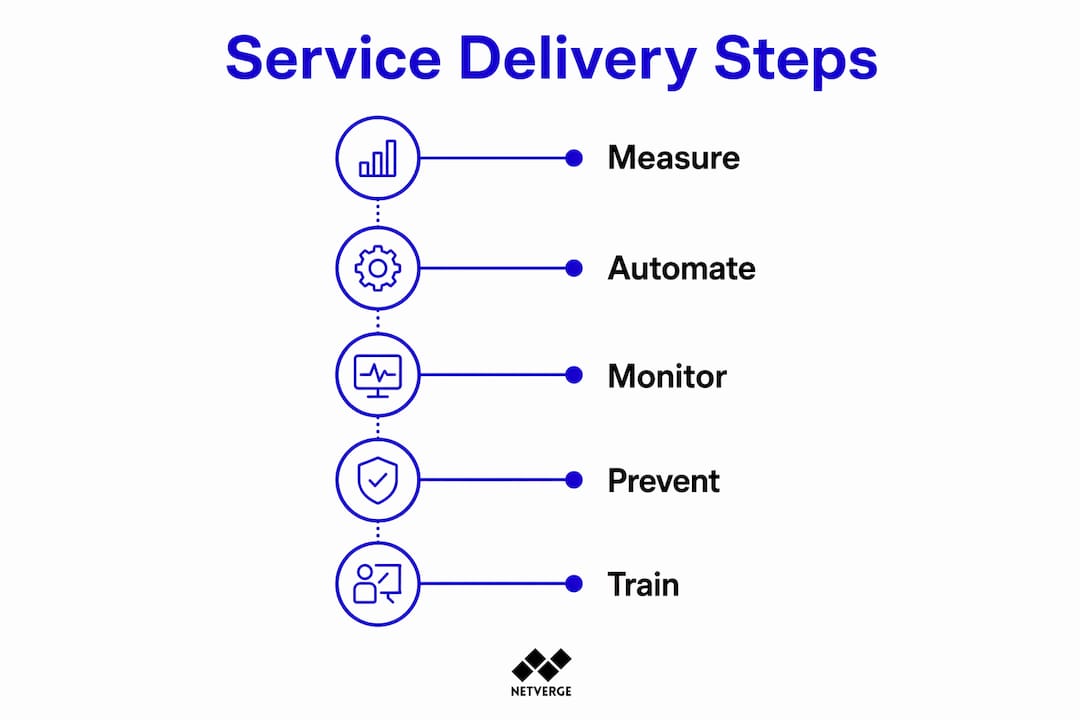
The right automation sequence: fast wins first
Start with identity-based automation — password resets and account unlocks — before touching ticket triage or infrastructure remediation. This sequencing is deliberate: identity tasks are high-volume, low-risk, and require only PSA and identity-provider integrations to deploy.
Phase 1 (Days 1–14): Identity automation
- Connect PSA to your identity provider (Active Directory, Entra ID, Okta)
- Deploy automated password reset and account unlock workflows
- KPIs: tickets closed without human touch, time-to-resolution for L1 identity tickets
Phase 2 (Weeks 3–8): Ticket triage and routing
- Integrate intelligent ticket triage classification rules into your PSA
- Route by service tier, client priority, and keyword/category matching
- KPIs: triage accuracy rate, average handle time, escalation rate
Phase 3 (Quarters 2–3): Monitoring remediation and onboarding/offboarding
- Connect RMM telemetry to automation playbooks for defined alert types
- Automate onboarding/offboarding checklists across identity, email, and access systems
- KPIs: automated remediation success rate, onboarding completion time
Agentic AI can read context, take multi-tool actions across PSA, RMM, and identity systems, log every action, and close routine tickets — but only after Phase 1 integrations are stable. Deploying agents before clean data and stable connectors exist produces escalation noise, not efficiency.
Pro Tip: Set approval thresholds and spend limits before Phase 3. Any automated action that touches production configuration, firewall rules, or user permissions should require a human-in-loop confirmation step until you have 30 days of clean escalation data.

From monitoring to infrastructure intelligence
The next phase of MSP growth is infrastructure intelligence: correlating performance telemetry, device lifecycle status, and business service context to prevent incidents rather than react to them. Raw uptime monitoring generates alert noise. Infrastructure intelligence surfaces which alerts actually matter.
Implementation steps:
- Normalize your device inventory and topology (every device tagged to a site, service, and owner)
- Correlate telemetry streams: CPU, memory, interface errors, and latency against application performance baselines
- Map devices to business services so an alert on a core switch surfaces as "POS system at risk" not "interface down"
- Set predictive thresholds for capacity warnings and early-failure indicators (storage trending toward full, memory creeping past 85% over 14 days)
Prioritization formula: impact × likelihood. A failing component in a redundant path scores lower than a single-point-of-failure device showing the same early symptoms.
Pilot capture template:
- Define inputs: which device classes and telemetry streams are in scope
- Define outputs: which alert types should auto-create tickets vs. auto-remediate vs. notify only
- Set KPIs: alert-to-ticket ratio, false-positive rate, incidents prevented per month
- Review at 30 days; expand scope based on false-positive rate and technician feedback
For teams building out network monitoring strategy, the shift from threshold alerts to correlated intelligence is the single highest-leverage architectural change available in 2026.
Architect for prevention: fix issues at the source
Prevention beats firefighting. Autonomous IT reduces ticket volume by resolving underlying causes rather than symptoms — but that only works when processes are designed to capture root causes and prevent recurrence.
Process changes to implement before expanding automation:
- Require a root-cause note and SOP update at every ticket closure; documentation built during resolution becomes the dataset automation needs
- Enforce change control with a pre-change checklist: configuration backup, rollback plan, and approval sign-off
- Calendarize reviews: weekly (failed backups, alert anomalies), monthly (firmware posture), quarterly (capacity and lifecycle planning)
| Metric | Target | Review Cadence |
|---|---|---|
| Repeat incident rate | Below 10% | Monthly |
| Mean time between failures | Trending upward | Quarterly |
| Automation escalation rate | Below 15% | Weekly during pilots |
| SOP coverage of top recurring ticket types | — | Quarterly |
For teams building out proactive maintenance disciplines, the cadence above is the operational backbone that makes automation reliable rather than risky.
Roles, training, and governance that make improvements stick
Clear ownership is what separates a successful rollout from a pilot that stalls. Assign these roles before you begin:
- Automation owner: approves new automation workflows, reviews escalation data, owns the phase roadmap
- Service owner: accountable for SLA performance and metric reporting for a named client or service tier
- Escalation engineer: handles cases the automation flags as ambiguous; feeds resolution notes back into SOPs
- Documentation steward: reviews SOP completeness at ticket closure; owns the knowledge base
Governance checklist:
- Approval gates documented for each automation phase before deployment
- Audit trail enabled for every automated action (who triggered it, what it changed, when)
- Postmortem cadence: any P1 incident gets a written review within 48 hours
- Documentation-as-you-go policy enforced at ticket closure
Pro Tip: Run a 30-minute knowledge-transfer session after every significant automation change. The goal is not training slides — it is making sure every technician knows what the automation now handles so they stop manually working those ticket types.
For service desk staffing models that align with these governance structures, the role definitions above map directly to modern tiered-support designs.
What integrations does your platform actually need?
Automation and intelligence require the right connections. Prioritize identity, PSA, RMM, observability, and documentation platforms in that order.
| Integration | Priority | What It Enables |
|---|---|---|
| Identity provider (AD, Entra ID, Okta) | Minimal viable | L1 identity automation, access management |
| PSA / ticketing platform | Minimal viable | Ticket creation, routing, closure, audit trail |
| RMM | Recommended | Alert-to-ticket automation, remote remediation |
| Observability / monitoring | Recommended | Telemetry correlation, predictive alerting |
| Documentation platform | Recommended | SOP access during triage, knowledge graph |
| SSO / RBAC | Advanced | Secure multi-tenant access, compliance controls |
| Security alert routing | Advanced | Mobile phishing triage, SOC escalation paths |
Integration rollout order:
- Identity provider + PSA (Phase 1 prerequisite)
- RMM connected to PSA for alert-to-ticket creation
- Observability platform feeding correlated alerts
- Documentation platform linked to ticket workflows
- SSO and RBAC for multi-tenant governance
Pricing and implementation timelines vary by platform. Pre-built native connectors reduce deployment from months to days for targeted pilots; custom workflow builders add weeks. Set that expectation with stakeholders before committing to a go-live date.
How Netverge implements this playbook end-to-end
A unified platform implements the roadmap faster because telemetry, ticketing, documentation, and automation share a single data model. Netverge maps directly to each phase:
- Monitoring: Vergepoints hardware deploys at the network edge for physical-layer visibility; 28+ intelligent sensors feed telemetry into the platform from day one
- Documentation: the knowledge graph captures device relationships, configurations, and SOP links in a single interface
- Automation: AI agents handle L1 ticket triage, identity-based resolutions, and escalation routing across connected PSA and RMM platforms
- Ticketing: AI-powered ticketing classifies, prioritizes, and routes tickets based on service tier and business impact
Typical pilot timeline: L1 identity automation deploys in days with pre-built connectors. Triage and routing reach stable performance in 3–8 weeks. Infrastructure intelligence with predictive alerting matures over one to three quarters as telemetry baselines accumulate.
Pricing is transparent via the Netverge pricing calculator. Subscription tiers scale with deployed agents and Vergepoints hardware, so pilot costs are scoped to the number of sites and ticket volumes in your initial rollout.
Pro Tip: Measure from day one. Track tickets closed without human touch, MTTR, and CSAT from the first week of the pilot. Early data builds the internal case for expanding scope and justifies the investment to leadership.
Key Takeaways
Improving service delivery for MSPs and multi-location enterprises requires service-aligned metrics, a phased automation sequence, and infrastructure intelligence built on clean integrations and documented processes.
| Point | Details |
|---|---|
| Start with identity automation | Password resets and account unlocks represent 10–30% of helpdesk tickets; automate these first for immediate MTTR gains. |
| Shift metrics to business impact | Track service success rate, business-impact MTTR, and user satisfaction score instead of raw uptime. |
| Phase automation deliberately | Identity first, then triage (weeks 3–8), then monitoring remediation (quarters 2–3) to avoid escalation noise. |
| Prevention requires process discipline | Require SOP updates at ticket closure and enforce change control before expanding automation coverage. |
| Netverge unifies the playbook | Vergepoints hardware, AI agents, knowledge graphs, and integrated ticketing implement each phase from a single platform. |
The tradeoffs nobody talks about
The platform-first automation argument is compelling, and Netverge is built around it. But it is worth being direct about where the model has limits.
Governance overhead is real. Every automation workflow you add is a workflow someone must own, audit, and update when the underlying system changes. Teams that expand automation faster than their documentation and governance practices can absorb it end up with brittle scripts and escalation debt. The phased roadmap in this article is not conservative for its own sake. It reflects the actual failure mode most operations teams hit when they skip governance steps.
Build vs. buy is a legitimate question for larger enterprises with dedicated engineering capacity. Agentic AI treated as a force multiplier for existing staff often delivers more ROI than replacing platforms wholesale. The integrations you already have are assets. The question is whether your current toolset can correlate telemetry, enforce governance, and surface business-impact context in one place, or whether you are stitching that together manually.
Automation should not replace human judgment on high-risk actions. Configuration changes, firewall rule modifications, and anything touching production data should stay human-in-loop until you have months of clean escalation data proving the automation's decision quality. That boundary is not a limitation of the technology. It is sound engineering practice.
Netverge: a pilot built around your infrastructure
Faster resolution and fewer repeat tickets are achievable this quarter. Netverge gives MSPs and multi-location enterprises a single platform that covers AI-powered network monitoring, intelligent ticketing, and Vergepoints edge hardware — without requiring you to replace your existing PSA or RMM on day one.

A pilot starts with L1 identity automation and Vergepoints deployment at your highest-volume sites. You get telemetry, triage, and documentation in one interface from week one. Use the pricing calculator to scope your pilot cost by site count and ticket volume before committing. Request a demo at netverge.com to see the platform against your actual infrastructure.
Useful sources and further reading
- IT process automation for MSPs: a practical guide — Rallied: sequencing, KPIs, and agentic AI deployment guidance
- Beyond SLAs: what great service delivery looks like — MSP Success: service-aligned metrics and documentation practices
- Why the next generation of MSPs will be built around infrastructure intelligence — ITPro: the shift from uptime monitoring to correlated intelligence
- Death of the ticket: autonomous IT will reshape MSP economics — Channel E2E: prevention-focused engineering and ticket volume reduction
- Designing network SLAs that actually support your business — Red River: SLA design aligned to business services and user experience
- Ticket triage explained: process, steps, and best practices — Netverge: triage classification and routing implementation
- Automation benefits for MSPs: the 2026 growth guide — Netverge: ROI framework and strategic automation planning