TAP vs SPAN: How to Choose Your Packet Access Method
Published
- network tap vs span port
- tap vs span
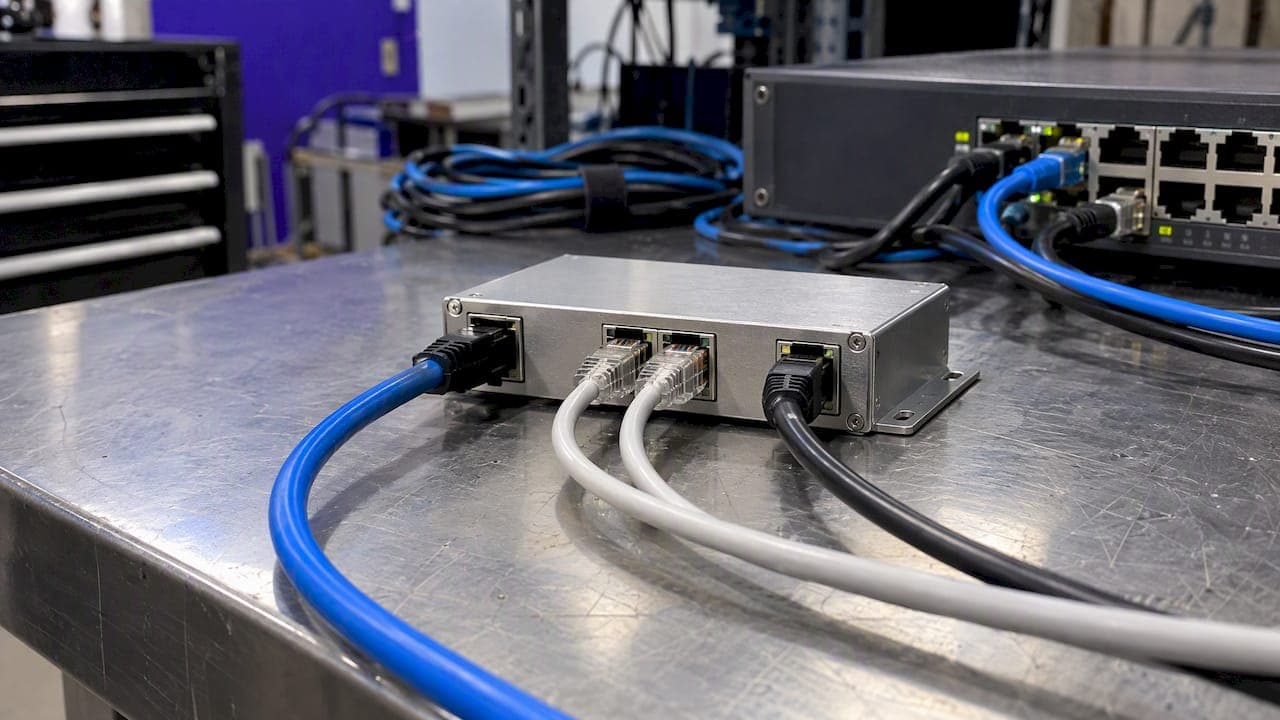
A network TAP is a dedicated hardware device that copies traffic from a physical link. A SPAN port is a switch feature that mirrors selected ports or VLANs to another port. Use a TAP when you need every packet on a critical link, errors included. Use SPAN when you need fast, low-cost visibility and can accept some loss. The rest of this guide shows how to decide, link by link.
TL;DR
- A TAP sits inline on a cable and copies traffic to a monitor port. A SPAN port is a switch configuration that mirrors traffic to a destination port.
- TAPs give the most complete capture, including physical-layer errors and traffic during congestion. They cost more and need a maintenance window to install.
- SPAN is cheap and reconfigurable without touching cabling, but it can drop packets, alter timing and compete for switch resources.
- SPAN and port mirroring are the same thing. SPAN stands for Switched Port Analyzer.
- Most real networks use both: TAPs on critical uplinks, SPAN for quick troubleshooting and access-layer checks.
Table of Contents
- What a TAP and a SPAN port actually are
- Network TAP vs SPAN port: the core differences
- Accuracy and packet loss
- Impact on network performance
- The drawbacks of TAPs
- What a SPAN port is used for
- How to choose: a decision guide
- Perspective: why we put hardware on the wire
- Getting visibility without a packet-broker project
- Where each method fits in a monitoring plan
- Common mistakes to avoid
- FAQ
- Sources
What a TAP and a SPAN port actually are
A network TAP is a hardware device placed between two points on a physical link. It passes traffic between those points and copies it to a monitor port. Because the copy is made on the cable, the switch is not involved in producing it.
SPAN stands for Switched Port Analyzer. Cisco describes it as a switch feature that copies traffic received, transmitted, or both from selected source ports or VLANs to a designated destination port for analysis. The original traffic continues on its normal path.
The destination port usually connects to a packet analyzer, an intrusion detection system or another monitoring device. While the session is active, that port is dedicated to it and does not carry ordinary switched traffic.
Is SPAN the same as port mirroring?
Yes. Cisco Nexus documentation calls SPAN a feature sometimes known as port mirroring or port monitoring. Sources can be Ethernet interfaces, port channels and VLANs. Other switch vendors use their own names for the same function.
Network TAP vs SPAN port: the core differences
| Factor | Network TAP | SPAN port |
|---|---|---|
| What it is | Hardware device on the physical link | Software feature on a switch |
| Packet completeness | Copies all packets, including hardware errors | Can drop packets when the switch is busy |
| Physical-layer errors | Visible | Generally filtered out |
| Switch impact | None, the copy is made outside the switch | May use switch CPU or add a performance hit |
| Cost | Hardware purchase per link | Included in the switch |
| Changes | Needs cabling work to install or move | Reconfigured from the CLI or management tool |
| Intra-switch traffic | Not visible | Visible if the switch port or VLAN is the source |
| Best for | Permanent monitoring of critical links | Troubleshooting and selective monitoring |
The table compresses the tradeoff: a TAP buys fidelity and independence from the switch, and SPAN buys flexibility and price. The sections below explain each row.
Accuracy and packet loss
This is where the two methods diverge most.
Cisco notes that a TAP provides monitoring of all packets, including hardware errors, and visibility during congestion. That matters when you are chasing intermittent problems. A malformed frame that never reaches your analyzer cannot be diagnosed.
SPAN is built to avoid disrupting forwarding. Cisco states that the original traffic continues on its intended path and that SPAN does not affect switching on the source ports or VLANs. The copy, however, is a lower priority than live traffic. On an oversubscribed switch, the mirrored copy is the first thing to go. Cisco also says that configuring SPAN may cause a performance hit and requires a dedicated destination port.
Three practical consequences follow:
- Oversubscription. If a 10G link is fully busy in both directions, the mirrored stream can exceed what a single destination port can carry. The excess is dropped silently.
- Corrupt frames. SPAN typically does not forward runts, CRC errors or fragments, so your tool never sees them.
- Timing. Mirrored frames can be re-timed by the switch, which skews latency and jitter measurements taken from the copy.
If you analyze sessions that must arrive complete and in order, check your tool's requirements first. For example, Broadcom's 2024 guidance for its security analytics product says the capture interface must receive complete network sessions with packets in order. A congested SPAN session can break that assumption without any warning.
Impact on network performance
A TAP adds no processing load to the switch. The only change to the link is the device itself, which is why installation needs a planned window: the cable is briefly interrupted.
SPAN needs no cabling change, but it is not free. Cisco's guidance on capturing traffic notes that SPAN can consume switch CPU resources. Hardware-based implementations on modern data center platforms reduce this. Cisco's ACI documentation describes hardware-based, nondisruptive copying that supports troubleshooting and proactive monitoring without unnecessary CPU load. Older or lower-end access switches are less forgiving, and many cap the number of simultaneous SPAN sessions, so check your model's limits before you plan around it.
The drawbacks of TAPs
TAPs are not strictly better. Cisco lists these downsides:
- A TAP may require two interfaces on the analysis device, one per traffic direction, unless the TAP aggregates them.
- It costs more than using a feature you already own.
- It cannot see traffic that stays inside a switch, such as two hosts on the same switch talking to each other.
- It is a poor fit when you only want to watch a narrow slice of traffic, such as one VLAN or one host.
The last two points are the case for SPAN. If your question is "what is this one server doing?", mirroring its switch port is quicker than inserting hardware into an uplink.
What a SPAN port is used for
A SPAN destination receives copied traffic for analysis while source traffic keeps flowing. Common uses include:
- Troubleshooting connectivity and application behavior with a packet analyzer such as Wireshark, which Cisco's Nexus troubleshooting guidance uses as its example.
- Taking a traffic sample from a particular application host for proactive monitoring, as Cisco describes for ACI fabrics.
- Feeding an intrusion detection system. Cisco gives this as an example and notes that an IDS may inject TCP reset packets through the destination port.
- Utilization and performance analysis, VoIP call recording and compliance monitoring, all listed among SPAN use cases.
Local SPAN, RSPAN and ERSPAN
Local SPAN sends copies to another port on the same device. RSPAN extends monitoring to another device, and VLAN-based SPAN watches every port in a given VLAN. ERSPAN goes further: it encapsulates copied frames in GRE and routes them across a Layer 3 network, which helps when the capture destination is not near the switch. These variants add convenience, but the same caveat applies: the copy still depends on switch capacity.
How to choose: a decision guide
Work through these questions for each link you want to watch.
- Is the link critical or high-bandwidth? Uplinks, data center interconnects and internet edges favor a TAP. Sizing matters here: before you decide, measure what the link really carries. A guide to RDP bandwidth baselines shows one way to turn per-session figures into link sizing for IT teams.
- Do you need errors and exact timing? If you are diagnosing flapping links, bad optics or latency-sensitive voice, use a TAP. SPAN hides the very faults you are hunting.
- Is the need temporary? For a one-off investigation, SPAN wins. You can set it up in minutes from the switch and remove it afterward.
- Is the traffic internal to one switch? Only SPAN, or another switch-based mirror, can see it.
- How many sessions can your switch support? If you are already at the limit, a TAP frees you from the constraint.
- Can you tolerate loss? For trending and general visibility, usually yes. For forensics or compliance evidence, usually no.
A common outcome is a split. Put TAPs on the links where a missed packet costs you something, and keep SPAN for ad hoc work. As monitoring tools multiply, TAPs can be paired with aggregation or regeneration so several tools share one copy. Scaling that visibility also means watching the applications behind it; these application monitoring best practices cover what to measure once packets reach your tools.
Perspective: why we put hardware on the wire
We build monitoring for MSPs and multi-site IT teams, and the same pattern repeats. A team starts with SPAN because it is already there. It works until the first incident that depends on a dropped packet, a bad cable or a microburst. Then nobody can say whether the problem is on the network or in the monitoring.
That is why we designed Vergepoints as hardware that provides on-site visibility, alongside software agents for places where hardware is not practical. Physical visibility gives you a reliable data source. Correlation, knowledge graphs and AI agents then work on top of data you can trust, which reduces alert noise and shortens triage. A clean signal matters more than a clever model.
Our advice is plain. Do not choose TAP or SPAN once for the whole network. Choose per link, based on what a missed packet would cost. Where the answer is "a lot", put a passive device on the cable. For more on this approach, see our guides to sensor placement and hardware-driven monitoring for MSPs and enterprises.
— Jim
Getting visibility without a packet-broker project
Many teams do not need a full capture architecture. They need to know when a branch link degrades, which device is responsible and what changed. Netverge combines Vergepoints, sensors, ticketing, documentation and AI-assisted troubleshooting in one platform, so findings land in the same place your team already works.
Published pricing starts with the Starter Package at $299 per month. Hardware Vergepoints are $49 per month per device and Software Vergepoints are $29 per month per Vergepoint, with add-ons listed in the pricing guide. Learn how Vergepoints work, or use the pricing calculator to estimate your monthly cost. Ready to see it on your own sites? Start a free trial or request a demo.
Where each method fits in a monitoring plan
Packet access is one input to a wider visibility plan. Mirrored or tapped traffic tells you what crossed a link. It does not tell you which device owns the problem or who should fix it. That takes inventory, documentation and event handling around the data.
Some practical pairings:
- Quality of service. Passive telemetry and probes reduce false alarms on voice and video. See our write-up on QoS monitoring.
- Packet loss. Correlating loss across links and devices beats alerting on each one. See correlated packet loss monitoring.
- Branch sites. A small appliance at each location gives MSPs a consistent starting point, covered in our branch monitoring appliance guide.
- Agents. When you cannot place hardware or tap a link, compare agentless and agent-based monitoring.
- Process. For rollout order, follow our step-by-step network visibility guide.
The AI-powered monitoring overview shows how these pieces connect.
Common mistakes to avoid
Mirroring a busy uplink to one destination port. If both directions of a full-duplex link are mirrored to a single port, the copy can exceed that port's capacity. Mirror one direction at a time, or use a TAP that exposes both directions separately.
Trusting SPAN for forensic evidence. Silent drops mean a capture can look complete and still be missing frames. Do not use it where you must prove what did not happen.
Ignoring the session limit. Many switches limit how many monitoring sessions you can run. Check your model's limit before a second team needs its own session.
Forgetting that SPAN needs a dedicated port. The destination cannot carry normal traffic during the session. On a small switch, that is a port you may not have to spare.
Installing a TAP without a window. Inserting hardware interrupts the link briefly. Schedule it, and plan fail-safe behavior for the device.
Expecting a TAP to show everything. A TAP on an uplink does not show two hosts talking inside the same switch. If that traffic matters, you need switch-based mirroring there.

FAQ
What is the main difference between a network TAP and a SPAN port?
A TAP is hardware on the cable that copies traffic without involving the switch. A SPAN port is a switch feature that mirrors selected ports or VLANs to a destination port. The TAP is more complete. SPAN is more flexible and costs nothing extra.
What does SPAN stand for in networking?
SPAN stands for Switched Port Analyzer, a term from Cisco documentation. It is also called port mirroring or port monitoring. Other vendors use different names for the same capability.
Does a SPAN port affect network performance?
It is designed not to affect switching on the source ports. Cisco says, however, that configuring it may cause a performance hit. The risk is higher on busy, lower-end switches, and the mirrored copy itself can be dropped.
When should I use a TAP instead of SPAN?
Use a TAP on critical or high-bandwidth links, for long-term monitoring, and whenever you need errors and exact timing. Use SPAN for temporary troubleshooting, for traffic internal to one switch and when some loss is acceptable.
Can I use both?
Yes, and most mature networks do. TAPs cover the links where completeness matters, while SPAN handles quick, targeted investigations without a hardware change.
Sources
- Cisco: How to capture traffic (TAP and SPAN)
- Cisco IOS XE: Switch Port Analyzer configuration guide
- Cisco Nexus 3000 NX-OS: Configuring SPAN
- Cisco Enterprise NFV configuration guide
- Broadcom: Tap Best Practices
- Cisco APIC: Using SPAN
- Cisco Nexus troubleshooting cheat sheet
- Cisco Learning Network: SPAN, RSPAN, ERSPAN
- Cisco Catalyst 9200: Configuring SPAN and RSPAN
- RDP bandwidth baselines
- Application monitoring best practices