Shadow IT Discovery: How to Find Unapproved Apps and Devices
Published
- shadow it discovery
- shadow it detection
- shadow it monitoring
- discover shadow it
- find unmanaged devices
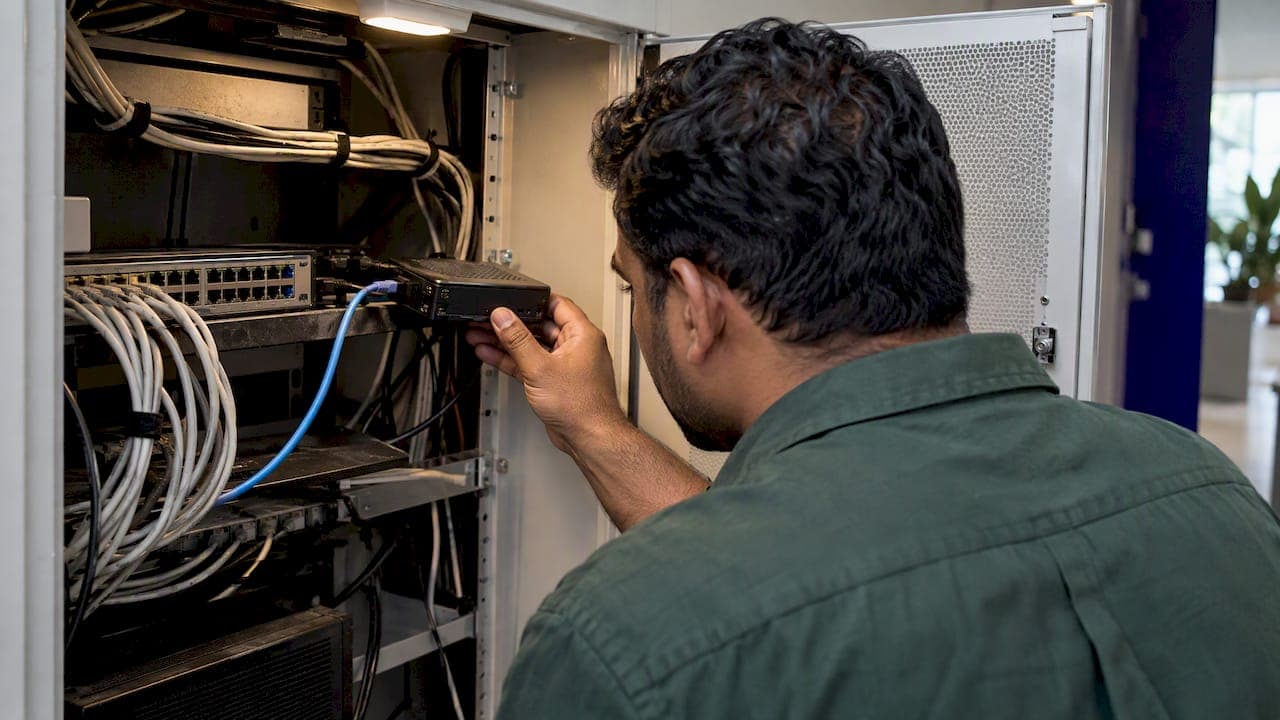
Shadow IT discovery is the process of finding every device, application and cloud service in use on your network without IT's approval, then comparing it against your approved inventory. You do it by combining three views: network telemetry (what is talking on the wire), identity and cloud logs (which apps people sign in to), and endpoint data (what is installed). This guide shows how each method works, where each one is blind, and how to turn findings into decisions instead of a spreadsheet nobody reads.
TL;DR
- Shadow IT is any device, software or service used without the knowledge, approval or control of IT. Discovery means comparing what is actually present against your approved inventory.
- No single method finds everything. Combine passive traffic monitoring, active scanning, and cloud and identity logs.
- Unmanaged hardware at remote sites is the usual blind spot for SaaS-focused discovery tools. Put sensors on the network at each location.
- Do not just delete what you find. Assess why it is used, who depends on it, then remove it or bring it under management.
- Run discovery continuously. A one-time audit is stale within weeks.
Table of Contents
- What shadow IT discovery actually identifies
- Why shadow IT is risky
- How to detect shadow IT: the main methods
- Why distributed networks are harder
- A step-by-step discovery process
- What to do with what you find
- Our perspective
- How Netverge supports shadow IT discovery
- Making discovery stick
- FAQ
- Sources
What shadow IT discovery actually identifies
The FFIEC IT Examination Handbook defines shadow IT as IT devices, software or services used in an organization without the approval, knowledge or control of the IT department. It describes discovery as identifying unauthorized assets by comparing current network assets against approved inventory lists.
That definition covers more than the SaaS apps most search results focus on. In practice, shadow IT falls into four groups:
- Unapproved SaaS and cloud services: file sharing, AI assistants, project tools, personal storage accounts.
- Unmanaged hardware: a switch in a closet, a personal access point, a NAS, a smart device plugged into a business VLAN.
- Unapproved software on managed machines: tools installed locally that bypass your patching and licensing.
- Unknown integrations: apps granted OAuth access to company mail, calendars or files.
If you manage networks for clients or run many sites, the second group is the one that surprises people most. Someone at a branch office adds a router to fix poor Wi-Fi, and you now have an uncontrolled path into the network.
Why shadow IT is risky
The FFIEC handbook lists the main exposures: security weaknesses, data breaches or data loss, the inability to maintain or update devices and software you do not know about, the inability to back up and recover them, and the cost of finding and fixing the problems afterward.
CISA's Continuous Diagnostics and Mitigation fact sheet adds the attacker's view. It describes unmanaged devices as targets that attackers can use to gain, and more easily maintain, a persistent platform from which to attack the rest of the network.
For an MSP, the risk is also contractual. You are accountable for an environment you cannot fully see. A device you did not know about still shows up in the incident report.
The motive is rarely malicious. The UK's National Cyber Security Centre notes that shadow IT usually appears when people try to get around slow or restrictive processes to be more productive. That shapes how you respond, which we cover below.
How to detect shadow IT: the main methods
There are five practical techniques. Each answers a different question.
Passive network monitoring
Passive monitoring listens to traffic and records which devices appear. CISA's BOD 23-01 implementation guidance says passive traffic monitoring can reveal new network assets. It generates no scan traffic, so it is safe on fragile equipment, and it catches devices that join briefly.
A primer on unmanaged device discovery points to where the evidence lives: network logs, ARP caches, MAC address tables, and DHCP and CDP/LLDP tables. Collecting these passively and correlating them can identify unknown devices.
Blind spot: it only sees traffic that reaches the sensor. Devices on a segment you do not monitor stay invisible.
Active scanning
Active scanning probes address ranges. The same CISA guidance describes asset discovery as checking an IPv4 or IPv6 network for active and inactive hosts, using active scanning or passive monitoring, and notes it can help find unmanaged assets.
Scanning gives you open ports, banners and fingerprints for each host. It also finds quiet devices that rarely send traffic. If you need a practical walkthrough, see our guide on how to scan a network for devices.
Blind spot: scans are point-in-time, and they can only reach the subnets you point them at. Aggressive scans can disrupt older equipment, so schedule them.
DHCP, ARP and switch table correlation
Every device that gets an address leaves a record. Correlating MAC and IP details from DHCP leases, ARP tables and switch forwarding tables against your asset sources is a low-cost way to spot unknowns. If your lease data is messy, our DHCP troubleshooting guide shows how to read it with packet captures.
Blind spot: devices with static addresses may not appear in DHCP at all, and MAC addresses can be spoofed or randomized.
Cloud and identity logs
For SaaS discovery, you need data on which apps people reach and sign in to. The FFIEC handbook notes that software or hardware tools, such as cloud access security brokers, can be used to discover unknown applications when connected to the cloud. Other sources include single sign-on logs, OAuth grant lists, DNS and web proxy logs, and expense reports.
A useful note when you review contracts for the tools you find: data handling terms matter as much as the app itself. This overview of cloud contact center security shows the kind of contract terms to check before a cloud service handles company data.
Blind spot: these logs miss anything used from a personal device on a personal network, and they say nothing about physical hardware.
Endpoint and agent inventory
Agents on managed machines report installed software and running processes. This is the best source for unapproved local software. It cannot see devices that cannot run an agent, which is exactly the category you are hunting. For the trade-offs, read our comparison of agentless vs. agent-based monitoring.
Which method finds what
| Method | Finds | Misses | Best for |
|---|---|---|---|
| Passive network monitoring | New and transient devices, unexpected traffic | Unmonitored segments | Continuous visibility |
| Active scanning | Quiet hosts, open services | Anything outside scanned ranges, changes between scans | Baselines and audits |
| DHCP/ARP/switch correlation | Unknown MAC and IP pairs | Static, spoofed or randomized addresses | Quick wins |
| Cloud and identity logs | SaaS apps, OAuth grants | Personal devices and networks | SaaS governance |
| Endpoint inventory | Unapproved local software | Devices that cannot run agents | Software compliance |
The pattern is clear: network-layer methods find hardware and unknown traffic, cloud-layer methods find apps, and you need both.
Why distributed networks are harder
A single office has one network closet and a handful of people who know where everything is. A distributed environment has dozens or hundreds of sites, each with its own switches, guest Wi-Fi, local administrators and workarounds. Central scanners often cannot reach remote subnets across VPNs or NAT, and remote sites rarely have a technician on hand.
The fix is to put visibility at the edge. A small sensor at each location can passively collect device data and run local scans, then report to one place. We cover the approach in detail in hardware-driven network monitoring for MSPs and enterprises, and the deployment side in our guide to deploying network probes without extra site visits.

A managed network operations function also helps here. A network operations center watching alerts around the clock is one way to catch a new device the day it appears rather than at the next audit.
A step-by-step discovery process
- Build the approved baseline. Export what you already know: CMDB or documentation, MDM and endpoint lists, licensed SaaS, contracts. Discovery only works against something to compare to.
- Map your network scope. List every site, VLAN and subnet, including guest and IoT segments. Mark which ones have no monitoring today.
- Collect passively first. Gather DHCP, ARP, switch table and flow data. Start with the least intrusive source.
- Add active scans. Scan each range during a maintenance window and fingerprint what answers.
- Pull cloud and identity data. Review SSO sign-ins, OAuth grants, DNS and proxy logs for apps outside your approved list.
- Reconcile. Match everything found against the baseline. Anything unmatched is a candidate shadow asset.
- Classify and decide. Assign an owner, a risk level and an outcome for each item (see the next section).
- Schedule it to repeat. The NIST report on automation support for security control assessments says an inventory of all assets with an IP address, including OT devices, should be updated at least monthly. Treat monthly as the floor and move to continuous collection where you can.
What to do with what you find
Finding an unapproved asset is the start of the work. The FFIEC handbook advises assessing the risks and the reasons for its use, working out which clients or processes it supports, and deciding whether to remove it or move it to managed infrastructure.
Use a simple triage:
- Critical: exposed to the internet, holds sensitive data, or has no owner. Contain it now.
- Business-supporting: a team depends on it. Interview the owner, assess the risk, then approve it with controls or replace it with a sanctioned option.
- Low risk: personal convenience tools with no company data. Document and monitor.
Be careful about blunt removal. TechTarget warns that removing shadow IT without a plan can hurt a department's processes, service delivery or revenue. Talk to the people first.
Also fix the cause. The NCSC recommends simple, effective processes for user requests and a security culture that encourages staff to report shadow IT. If approving a new tool takes six weeks, people will not wait.
Our perspective
Most shadow IT guidance starts with SaaS. That matters, but in the networks we see MSPs and multi-site teams manage, the harder gap is physical: devices and segments nobody is watching. We built Netverge around that problem.
Our view is that discovery should not be a separate project. It should be a by-product of monitoring. When sensors at each site passively observe traffic and the platform correlates that data with your documentation and ticket history, a new device shows up as a deviation from the known state, not as a finding in next quarter's audit. Context matters as much as detection. An unknown device is far easier to triage when you can see which site, which client and which change ticket it relates to.
We also think noise is the enemy. A discovery tool that flags every phone and printer will be ignored within a week. Correlation and anomaly detection should separate a visitor's laptop from a rogue switch, so your team spends its time on the second one.
— Jim
How Netverge supports shadow IT discovery
Netverge unifies monitoring, documentation, ticketing and AI-driven automation for MSPs and multi-location enterprises. For discovery, the relevant pieces are:
- Vergepoints, edge hardware that gives you on-site visibility without sending a technician to each location. A software Vergepoint covers virtual deployments.
- 28+ intelligent sensors, AI-powered monitoring and anomaly detection that highlight what changed.
- Documentation and a knowledge graph that keep devices tied to their site, client and tickets.
- Multi-tenant management with role-based access, so each client's data stays separate.
Pricing is published. The Starter Package is $299 per month. Hardware Vergepoints are $49 per month per device, and software Vergepoints are $29 per month per Vergepoint. Add-ons such as 100 additional sensors, 100 additional sites or 100 additional clients are $100 per month each. See the pricing guide, or use the pricing calculator to estimate your monthly cost.
Ready to see what is on your network? Start your free trial or request a demo.
Making discovery stick
A few habits keep results useful after the first pass:
- Alert on new devices, not on every device. Set a policy for what counts as expected on each segment.
- Segment guest and IoT traffic. It limits the damage from what you do not find.
- Record decisions. When you approve an exception, document owner and rationale so the next audit does not repeat the work.
- Review trends. Rising numbers of unknown devices at one site usually point to a process problem there, not a technical one.
- Connect discovery to downtime analysis. Unmanaged gear is a frequent contributor to outages. Our list of common causes of network downtime covers others to check, and the broader network infrastructure monitoring strategies put discovery in context.
FAQ
What is shadow IT discovery?
It is the process of identifying devices, software and cloud services used without IT's approval or knowledge. Teams do it by comparing what is observed on the network, in identity logs and on endpoints against the approved inventory. Anything that does not match is investigated.
How do you detect shadow IT?
Combine methods. Passive traffic monitoring and DHCP, ARP and switch table correlation find hardware. Active scanning finds quiet hosts. Cloud access tools and SSO or DNS logs find SaaS apps. Each method has blind spots, so using several gives the most complete picture.
How do you find unmanaged devices on a network?
Collect device data passively from network infrastructure, then correlate MAC and IP details with your asset sources. Anything without a match in your inventory is unmanaged or unknown. Add periodic active scans of every subnet, including guest and IoT segments, to catch silent devices.
How often should you run shadow IT discovery?
NIST guidance on asset inventories calls for updating them at least monthly. For networks that change often, such as MSP client environments or sites with many users, continuous monitoring is better because new devices appear between scheduled scans.
Should you remove all shadow IT?
No. Assess the risk and the business reason first. Some tools should be removed, and others should be approved and brought under management. Removing something a team depends on without a plan can disrupt their work.
Sources
- FFIEC IT Examination Handbook: Shadow IT
- CISA: Continuous Diagnostics and Mitigation Asset Management fact sheet
- CISA: BOD 23-01 implementation guidance
- A Primer on Unmanaged Device Discovery
- NIST IR 8011 Volume 2: Automation Support for Security Control Assessments
- NCSC: Shadow IT
- TechTarget: Pros and cons of shadow IT