Network Device Naming: A Convention for Multi-Site Teams
Published
- network device naming
- switch naming convention
- network naming standards
A good network device naming convention puts a stable site code, a device role and a never-reused sequence number into every hostname, then applies that same name to DNS, inventory, port descriptions and cable labels. Keep the name short enough to say over the phone and put nothing in it that changes when hardware is swapped. This guide gives you the formats, the rules and the rollout steps for MSPs and multi-site IT teams. At Netverge, we see naming as the first layer of network documentation: if the name is wrong, every ticket, alert and diagram that uses it inherits the error.
TL;DR
- Use the pattern site code, role code, sequence, for example
SS-MDF-SW0001, and use the same pattern for switches, firewalls, access points and servers. - Encode only what stays true when hardware changes: site and role. Leave models, IP addresses and VLANs out of the name.
- Never reuse a sequence number after a device is retired. A replacement in the same role at the same site can keep its name.
- Write the name once and propagate it to the hostname, DNS record, inventory record, port descriptions and physical labels.
- Write the standard down, with exceptions, before the first rename.
Table of Contents
- Why device names matter more as you add sites
- The anatomy of a good name
- Switch naming convention examples
- Rules that keep names from drifting
- One name, five places
- Roll out a naming standard in six steps
- How names speed up incident diagnosis
- Where Netverge fits
- FAQ
- Sources
Why device names matter more as you add sites
With one building, anyone can remember that core1 is the core switch. With 40 sites, three acquisitions and a rotating technician pool, names become the index to everything else: alerts, tickets, change records, diagrams and passwords.
The practical test comes from Network Warrior, the O'Reilly book by Gary Donahue: a hostname should be easy to remember, because when a hostname is harder to recall than an IP address, using it defeats the purpose. A second test comes from a US reseller who writes that descriptive names protect you when you make a critical change remotely without full documentation at hand. Both tests ask the same thing: can an engineer who has never seen this device tell what it is and where it is from the name alone?
There is also a reason specific to MSPs and distributed teams. Location in the name serves two purposes, according to network engineer Bruno Wollmann: it tells you which equipment to check while troubleshooting a customer's site, and it gives an on-site technician confidence that they are standing in front of the right device. That second point is what makes remote hands safe to use.
The anatomy of a good name
Most working conventions share the same building blocks. You pick the ones that your footprint needs and keep the order fixed.
| Component | Purpose | Example |
|---|---|---|
| Customer or business unit | Separates tenants (MSPs) or divisions | ACME |
| Site code | Stable identifier for the location | DEN, LA27 |
| Physical area | Closet, MDF/IDF or room | MDF, IDF1 |
| Role | What the device does | SW, FW, AP, RT |
| Sequence | Distinguishes devices of the same role | 0001 |
Not every network needs every field. Wollmann notes that the depth of location detail should match the organization's footprint: country, state, city, building and room for thousands of sites, but only building and room for a single campus.
Site codes
Use short, fixed-length codes. One MSP knowledge base recommends location abbreviations of two to three characters and describes the physical area rather than the VLAN. If your sites are spread across a country, Wollmann suggests adapting an existing location standard such as IATA airport codes, CLLI codes or ISO 3166-2 rather than inventing your own, which saves the argument over whether Denver is DEN, DV or DENV.
Role codes
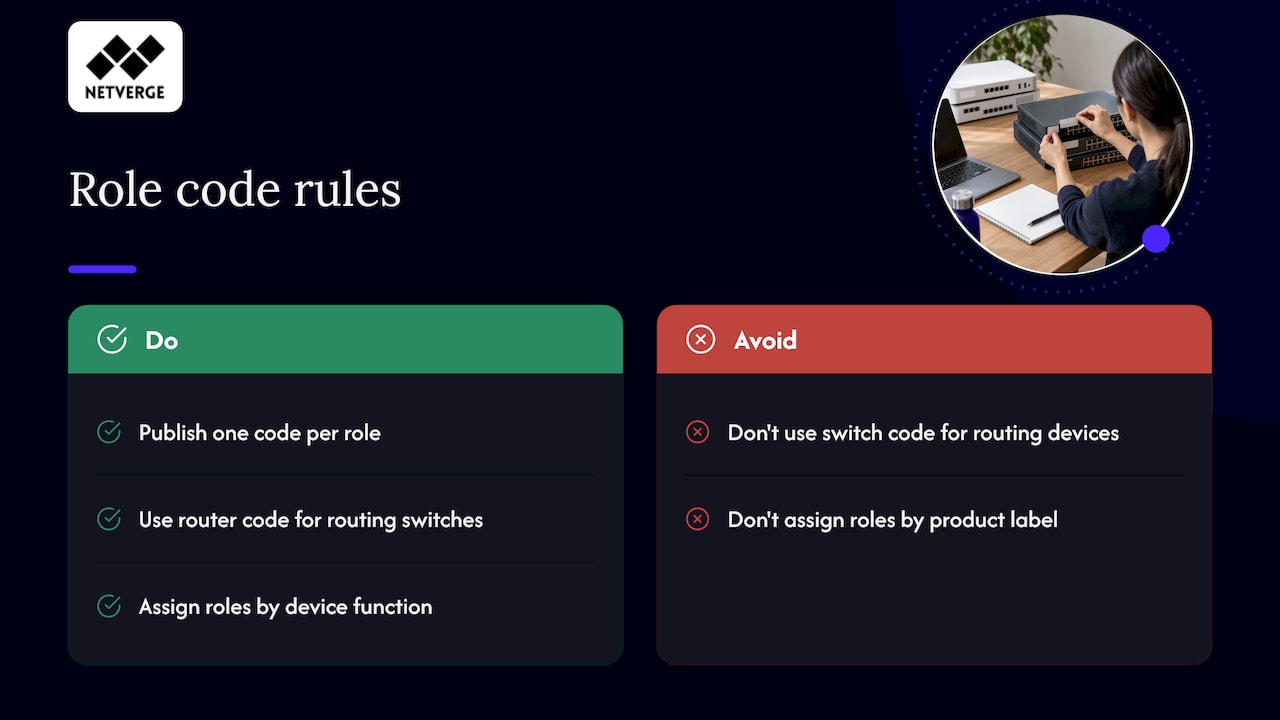
Pick one code per role and publish the list. Common choices are SW for switch, FW for firewall, AP for access point, RT for router, plus server roles such as HV, DC, FS and NAS. The one-scheme-for-everything approach is documented in DTC's published device standard, with examples like SS-MDF-FW0001 and SS-MDF-AP0001.
A rule worth copying from the University of Waterloo's network device naming standard (updated 2013): a switching device that is configured for routing uses the router code, not the switch code. Assign each device exactly one role, decided by what it does, not by what the box was sold as.
Sequence numbers
Use a fixed-width number. The DTC standard uses four digits (0001 and up) or an asset tag, and it does not reuse a number when a device is replaced. Fixed width keeps names sorting correctly in lists and exports. Never reusing numbers keeps old tickets, logs and change records pointing at one device only.
Switch naming convention examples
Switches are where most naming debates start, because there are so many of them. These are formats that practitioners and organizations have published, so you can see the tradeoffs.
| Format | Example | What it tells you | Watch out for |
|---|---|---|---|
| Site, area, role, sequence | SS-MDF-SW0001, SS-IDF1-SW0001 |
Where the switch sits and what it is | Needs a documented area list |
| Metro, building, floor, model, sequence | LA2704-3945-02 |
Los Angeles, building 27, 4th floor, Cisco 3945 number 2 | Model in the name goes stale on hardware refresh |
| Customer, region, state, city, site, function, number, criticality, model | Documented by Network World | Full context for a large provider | Long names; use an optional suffix for building, floor, closet and rack |
| Location code, role, number | location-SW-01 |
Simple and readable | Collides when you add a second tenant |
| Country, state, city, site, function, serial | USINAUB01-IER01 |
Internet edge router at the first Auburn, Indiana office | Fixed-width fields must be strictly enforced |
The metro-building-floor pattern comes from an enterprise engineer quoted by The Networking Nerd. He points out that the hyphen-delimited format makes it easy to sort gear by metro, building and floor for upgrades. The country-state-city example comes from a Spiceworks server-naming thread, where the interface name is also appended in reverse DNS so traceroutes read more clearly.
For most MSPs and multi-site teams, the first row is the best starting point: it is short, and the closet or MDF/IDF tells a remote hand exactly where to walk.
An MSP-specific twist: the customer prefix
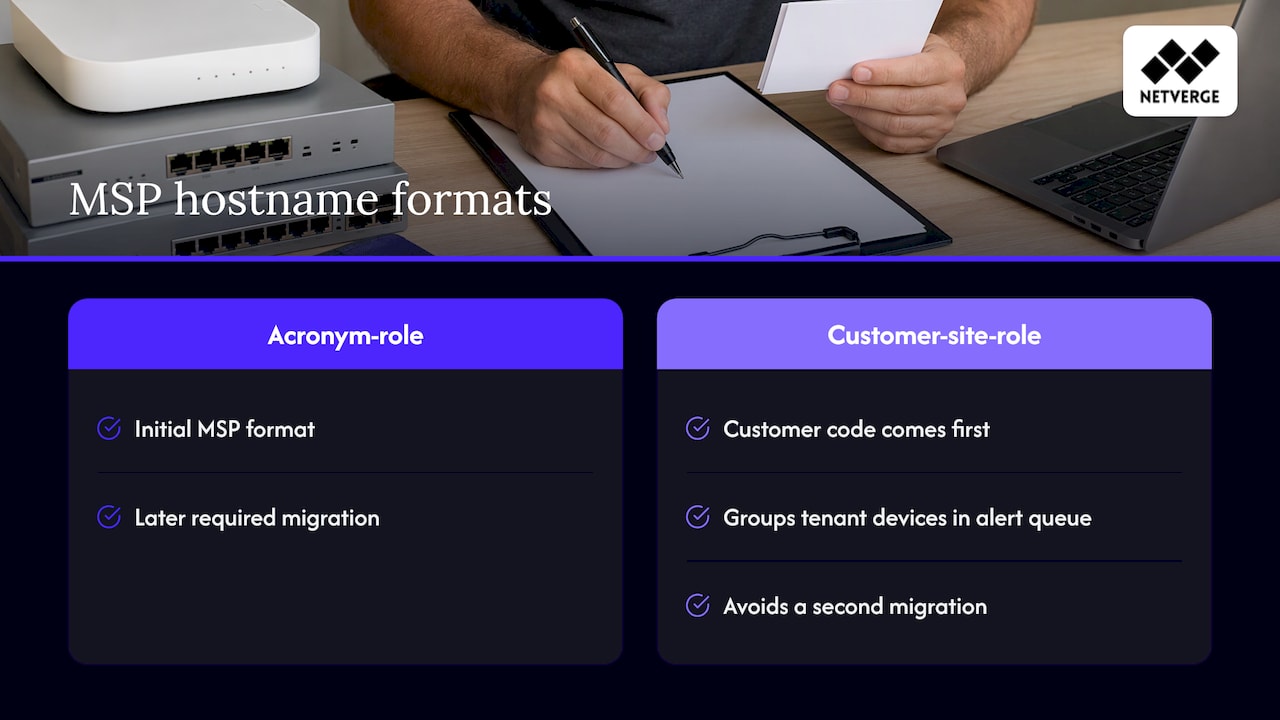
If you manage many customers, the name must work in a shared alert queue. One Spiceworks practitioner describes an MSP that began with an acronym plus role ($Acronym-FW01) and later had to move to business, location and role as the parent company acquired sites across the US. Starting with a customer code and site code avoids that second migration. Put the customer first so that sorting groups a tenant's devices together.
Rules that keep names from drifting
These rules come from published standards, and each one prevents a specific failure.
- Pick one case. DTC's rule is all lowercase or all uppercase per site, never a mix. Wollmann recommends lowercase hostnames built from letters, digits and hyphens, with no spaces, and no hyphen at the start or end. Mixed case breaks searches and scripts.
- Use hyphens as the only delimiter. They keep names valid in DNS and make them easy to split in a script or report.
- Do not encode what changes. Ascio Wireless observes that hostnames carrying too much detail become wrong as soon as a device is moved or replaced, after which teams either leave outdated names or rename inconsistently. Their design question is the right one: what stays stable when hardware changes? Site and role do. Model, IP address, VLAN and rack position often do not.
- Keep the name when the role stays. A switch replaced in the same role at the same site keeps its name, as Ascio recommends. The serial number and model live in inventory, not in the hostname.
- Do not reuse retired sequence numbers. Both DTC and the Spiceworks country-state-city convention above retire numbers permanently.
- Design for the people who use the names. One Spiceworks practitioner's bottom line is that names should be meaningful to the people who refer to them. A convention nobody follows is worse than a plain one everybody does.
One caution on putting an IP octet in the name. Some engineers like having the last octet in a switch name to help when tracing a MAC address or CDP neighbor to a port. It works until a renumbering, at which point the name lies. Keep the address in inventory and DNS.
One name, five places
A convention only pays off when the same string appears everywhere a person or system looks. DTC's standard applies the name to the hostname, the DNS record and the inventory record, and Ascio recommends layering site names, hostnames, printed labels and documentation records. In practice that means:
- Device hostname configured on the device.
- DNS A record matching the hostname.
- Inventory record with the same name as its key, along with model, serial, owner and site.
- Port descriptions on the neighbor devices, such as an uplink description naming the far-end hostname and port.
- Physical label on the chassis and on the patch cables at both ends.
If any one of these disagrees, you have two devices in practice: the one in the network and the one in the documentation. Our guides on building and maintaining a network device inventory and on why documenting network infrastructure pays off go deeper on the inventory side.
Roll out a naming standard in six steps
- Inventory what exists. Export every device from monitoring, DNS and your PSA or documentation tool. You will find duplicates and devices known by three names. Manually reconciling this across many sites is the slow part; Netverge's Vergepoints provide on-site visibility, so you can compare what is actually on a site with what the records say.
- Choose the fields. Decide the customer, site, area, role and sequence layout. Fix the length of each field.
- Write the code lists. Publish the site list, the area list (MDF, IDF1, and so on) and the role list in one place, with an owner.
- Write the exception rules. Decide in advance how you name virtual devices, cloud gateways, wireless controllers and temporary equipment. Ascio's guidance on standards for devices, labels and exceptions is a good model for treating exceptions as part of the standard rather than as violations.
- Rename in a change window, site by site. Update the hostname, DNS and inventory record in the same change, then labels on the next visit. Keep a mapping of old to new names for at least as long as your log retention, so older tickets still make sense.
- Enforce it at the door. New devices get a name from the standard before they get an IP address in production. Audit monthly for names that do not match the pattern.
For a wider view of running many locations consistently, see our multi-site network management how-to guide.
How names speed up incident diagnosis
A structured name pays off at three moments.
- Triage. An alert for
DEN-MDF-FW0001tells the on-call engineer the site, the area and the role before they open anything. Network World's convention notes that an optional building, floor, closet and rack suffix can help remote technicians locate devices and cut 10 to 15 minutes from initial triage. That is the source's own estimate and your results will depend on your environment. - Correlation. When several alerts share a site code, it is obvious they may belong to one site-level problem, such as a WAN circuit, and not to five separate devices.
- Reporting. Predictable names let you filter every access switch at one customer, or every firewall across all sites, with a simple pattern instead of a spreadsheet.
This is also why naming matters for AI-assisted operations. Any automation, whether a script, a ticket rule or an AI agent, works from the identifiers it is given. Consistent names and a clean inventory give it unambiguous references to match against. Netverge unifies monitoring, documentation and ticketing in one platform, so the same device name appears in the alert, the knowledge graph and the ticket. Our article on smart network documentation explains how that fits together.
Where Netverge fits
Netverge is a unified network monitoring and management platform for MSPs and multi-location enterprises. It combines real-time infrastructure monitoring, network documentation, AI-powered ticketing and triage, multi-tenant management and role-based access in one interface, so a device name is defined once and used everywhere instead of being retyped into separate tools.
The Starter Package is listed at $299 per month, with Hardware Vergepoints at $49 per month per device and Software Vergepoint at $29 per month per vergepoint. Additional sites are $100 per month per 100 sites, and additional clients $100 per month per 100 clients. Full details are on the pricing page and the pricing guide, and you can model your own footprint in the pricing calculator.
If you are standardizing names across sites now, start your free trial and bring your site list with you.
FAQ
Is there an official standard for naming network devices?
There is no single mandated format for device names. What exists are constraints on hostnames, which are DNS-compatible names: lowercase letters, digits and hyphens, no spaces, and no leading or trailing hyphen are the commonly recommended subset. Beyond that, organizations define their own convention, and published examples from universities and MSPs share the same site, role and sequence structure.
Should I put the device model in the name?
Usually not. Models change at refresh, and a name with a model in it becomes wrong the day you replace the hardware. Some enterprises do include it, as in LA2704-3945-02, because it lets them list all of one model for upgrade planning. If you want that list, an inventory record with a model field gives you the same result without renaming anything.
What should I do with devices I inherit from an acquisition or a new MSP customer?
Inventory them first, then map each old name to a new one in your standard and keep the mapping. Rename site by site in a change window, updating DNS and inventory in the same change. Starting with a customer code in the name prevents collisions between tenants.
How long should a switch name be?
Short enough to say aloud and type in a CLI without errors. Hostname labels are limited in length, but the practical limit is lower: DTC keeps location codes to two to three characters, and a name such as SS-MDF-SW0001 carries site, area, role and sequence in 13 characters.
Do I need to rename everything at once?
No. Apply the standard to all new devices immediately and to existing ones as you touch each site. Keep an old-to-new mapping so tickets and logs stay traceable during the transition.
Sources
- Naming Conventions for Devices, Network Warrior, 2nd Edition (O'Reilly)
- Device Naming Conventions, The Networking Nerd
- Network Object, Thy Name is Contentious, Bruno Wollmann
- Device Naming Convention, DTC Inc. Knowledge Base
- Network device naming standard, University of Waterloo
- Naming Conventions, Network World
- Multi-Site Network Naming Conventions, Ascio Wireless
- How do you name your routers, switches and firewalls?, Spiceworks Community
- Server naming conventions, Spiceworks Community