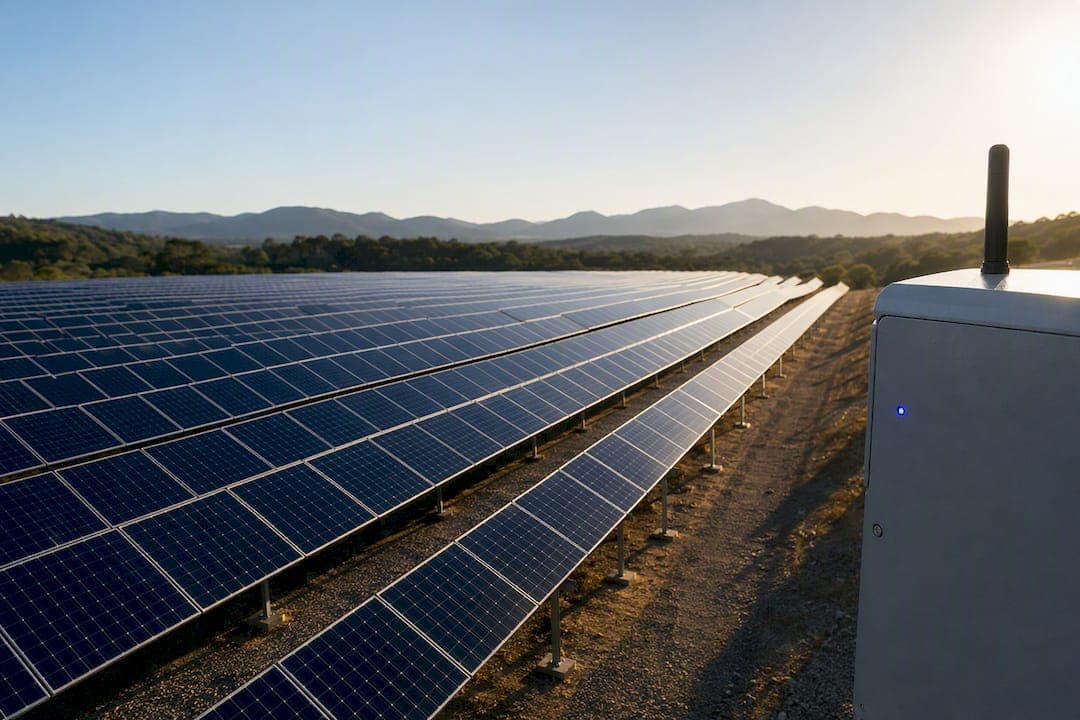
Remote site monitoring is a centralized system, sensors, RTUs or controllers, communications, and a monitoring platform, that gives operations teams real-time visibility into distributed locations. The payoff is direct: fewer unnecessary site visits, faster mean time to repair, and measurably better uptime across every location on your network. For IT and operations teams running more than a handful of sites, this shifts management from reactive firefighting to a monitored, data-driven operation.
TL;DR:
- Most remote site monitoring systems require multi-path communications like cellular and fiber with automatic failover to ensure data delivery during outages.
- Effective deployment begins with a pilot phase to collect baseline data, tune alert thresholds, and validate operational decisions before full-scale rollout.
- Vendors should support protocols like SNMP, Modbus, and DNP3, offer multi-level dashboard views, and provide security features such as role-based access and encrypted communication.
- Regular firmware updates, sensor calibration, and hardware replacement schedules are crucial to maintain long-term reliability of remote monitoring equipment.
- Consolidated platforms with AI-driven alert triage and native integrations reduce alert fatigue and improve visibility across multi-site estates.
Table of Contents
- What Does Remote Site Monitoring Actually Cover?
- What Are the Key Components of a Remote Monitoring System?
- How Should You Architect Monitoring Across Multiple Sites?
- How Do You Roll Out Remote Site Monitoring Without Chaos?
- How Do You Evaluate Vendors for Remote Site Monitoring?
- When Does a Unified Platform Beat a Sensor-by-Sensor Stack?
- How Do You Secure Access to Remote Monitoring Systems?
- What Cybersecurity Practices Protect Remote Monitoring Systems?
- What Do Real Remote Monitoring Deployments Look Like?
- What Maintenance Does a Remote Monitoring Deployment Need?
- How Do You Train Teams to Adopt Remote Monitoring?
- Three Lessons From Watching Multi-Site Rollouts Succeed or Stall
- Netverge Maps Directly to the Vendor Scorecard You Just Built
- Sources
What Does Remote Site Monitoring Actually Cover?
At its core, remote site monitoring replaces a patchwork of local checks with a single dashboard that shows every site's status at once. That single-pane-of-glass view matters because distributed teams lose hours reconciling data from separate tools before they even start troubleshooting. Multi-site monitoring centralizes that visibility and automates alerts so problems surface before they become outages.
The assets under watch vary by industry but usually include:
- Network switches, routers, and firewalls
- Backup generators and UPS systems
- HVAC and cooling units
- Security cameras, door sensors, and access panels
- Utility meters and power quality monitors
You'll find this architecture across telecom towers, retail chains, electrical substations, branch offices, and renewable energy sites, anywhere a team manages infrastructure it can't walk past every day.
What Are the Key Components of a Remote Monitoring System?
A working system depends on five layers doing their job well: RTUs, sensors, communications, the central platform, and the analytics that turn raw readings into decisions. Each layer has specific technical requirements that determine whether the system holds up under real conditions, not just in a demo. Multitel's breakdown of robust remote site monitoring systems covers this component list in detail, and it's worth using as a specification checklist.
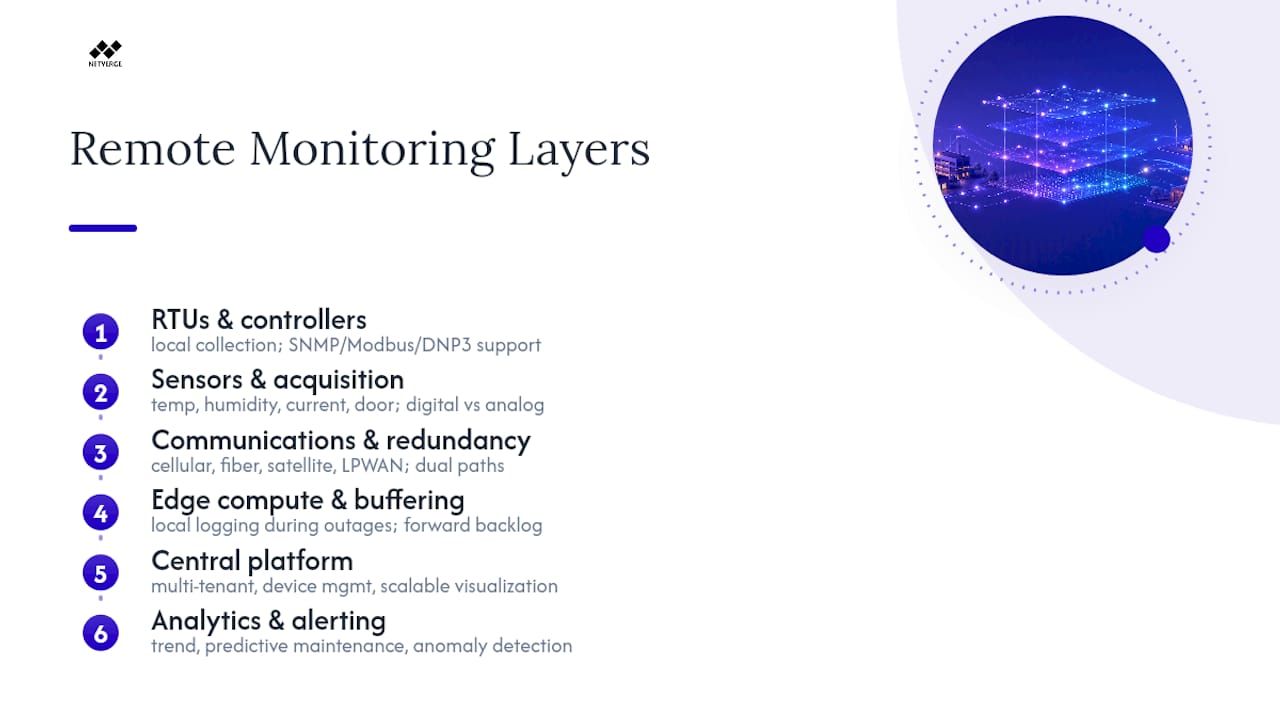
RTUs and controllers handle local data collection and command execution. Confirm protocol support before buying: SNMP for network gear, Modbus for industrial equipment, DNP3 for utility and SCADA environments. Devices like the NetGuardian family remain common in telecom and utility deployments because they scale cleanly by discrete and analog input count and hold up in harsh cabinets.
Sensors and data acquisition cover temperature, humidity, current draw, and door contact status. Digital sensors give cleaner alerting logic; analog sensors often capture finer trend data but need more calibration work.
Communications and redundancy determine whether your data actually arrives. Cellular, fiber, satellite, and LPWAN each have tradeoffs in cost and latency, and mature deployments layer at least two paths with automatic failover.
Edge compute and buffering let a site keep logging locally when the link drops, then forward the backlog once connectivity returns.
The central platform needs to support multi-tenant views, device management, and visualization that scales from one site to hundreds.
Analytics and alerting close the loop: trend analysis, predictive maintenance flags, and anomaly detection feed a tiered alert system that routes to the right team instead of flooding one inbox. For a deeper look at how anomaly detection works in practice, Netverge's guide for IT pros walks through the underlying techniques.
Pro Tip: Route alerts by rate-of-change, not just threshold. A slow temperature drift over six hours means something different than a spike in six minutes, and your alert logic should treat them differently.
How Should You Architect Monitoring Across Multiple Sites?
Distributed estates need layered telemetry, not one flat network of sensors reporting to one server. A resilient multi-site architecture typically breaks into three tiers, and each one solves a different problem.
- Local telemetry collects and buffers data at the site, so a connectivity outage doesn't mean a data gap.
- Regional aggregation consolidates traffic from clusters of sites, reducing the load on the central platform and giving regional managers a mid-level view.
- Central governance applies policy, stores historical data, and feeds executive dashboards and compliance reporting.
Site profiles make this practical. Classify each location as critical, standard, or remote, then tune alert sensitivity, escalation paths, and patch windows to match. A critical substation might page an on-call engineer within minutes, while a remote retail kiosk might just log an entry for the next business day. Buffered queuing keeps this resilient when a remote site drops offline for hours: telemetry piles up locally and syncs once the link is restored, so nobody loses visibility into what happened.
How Do You Roll Out Remote Site Monitoring Without Chaos?
Treat this as a phased program, not a mass install. Pilot first, prove value, then scale in waves.
- Pilot (5 to 15 sites): Pick locations that represent your typical mix of connectivity and criticality. GlacierGrid's guide recommends a 60 to 90 day window, with baselines on energy use, service call frequency, and temperature compliance before you start tuning anything.
- Success criteria: Clean data quality, alert thresholds tuned to cut noise, and at least one operational decision made directly from the monitoring data. If nobody acted on an alert during the pilot, the pilot isn't done.
- Regional rollout: Install in waves by region, assign clear site ownership, train local staff before go-live, and wire up integrations (CMMS, ticketing) as you expand rather than after.
- Scale stage: Shift focus to governance, API integrations across your operational stack, and executive KPIs that tie monitoring data to uptime and cost targets.
Pro Tip: Don't skip the baseline measurements before your pilot starts. Without a "before" number, you can't prove the platform moved the needle when you present results to leadership.
How Do You Evaluate Vendors for Remote Site Monitoring?
Build a scorecard before you take a single demo call. Weight each criterion by how critical your sites are, a portfolio of substations needs different weighting than a chain of retail stores.
- Connectivity redundancy: Does the platform support multiple paths with automatic failover, or does one dropped link mean a blind site?
- Protocol and device support: Confirm SNMP, Modbus, DNP3, and MQTT compatibility against your actual equipment list, not a generic spec sheet.
- Dashboard views: You need site-level, regional, and portfolio-level views. A platform that only shows one role's perspective gets underused fast.
- Alert logic: Ask specifically how the system prevents alert fatigue. Tiered severity and routing rules matter more than raw alert volume.
- Integrations and APIs: CMMS, billing, ticketing systems. A monitoring tool that can't talk to your existing stack creates a second silo instead of removing one.
- Security and scalability: Role-based access, encrypted transport, and a licensing model that doesn't punish you for adding sites.
When you get to a demo, request live data instead of a canned walkthrough, ask for real integration examples, and make the vendor prove offline behavior by simulating a dropped connection. Cost components typically break into subscription fees, hardware, connectivity charges, and installation labor, get all four itemized before comparing quotes.
When Does a Unified Platform Beat a Sensor-by-Sensor Stack?
Once you're running more than a few dozen sites, or once your team is stretched managing tickets across disconnected tools, a unified platform generally outperforms a pile of point solutions stitched together.
Some platforms consolidate monitoring, documentation, ticketing, and AI-driven automation into one interface built for MSPs and multi-location enterprises. That matters because fragmented tooling is exactly what creates the alert fatigue and missed correlations that plague large estates.
- Vergepoints give physical, on-site visibility, extending the platform's reach into hardware you'd otherwise monitor blind.
- AI agents handle triage automatically, aiming to cut the time between an anomaly firing and a technician acting on it.
- Knowledge graphs connect device relationships across sites, so a single root cause doesn't generate ten disconnected tickets.
A narrow sensor stack can work fine for a handful of homogenous locations. Once you're juggling multiple site types, protocols, and ticketing workflows, the integration overhead of stitching together separate tools usually outweighs whatever you saved buying them individually.
How Do You Secure Access to Remote Monitoring Systems?
Every RTU, sensor gateway, and dashboard login is a potential entry point, and remote sites are harder to physically secure than a data center. Role-based access control should be the default, not an afterthought: field technicians get access to their assigned sites only, regional managers see their cluster, and executives get portfolio-level dashboards without device-level control.
Physical access matters as much as digital. Door contact sensors and camera feeds tied into the same platform let you correlate a physical intrusion with a network anomaly at the same site, instead of treating them as two separate incidents in two separate systems.
On the network side, segment monitoring traffic away from production systems. An RTU compromised at a remote substation shouldn't give an attacker a path into your core network. VPN tunnels or dedicated private connections for monitoring traffic, combined with certificate-based device authentication rather than static passwords, close off the most common attack paths.
Audit logging deserves specific attention. Every configuration change, every access attempt, and every alert acknowledgment should generate a timestamped record. When something goes wrong at a remote site three states away, that log is often the only way to reconstruct what happened and who touched what. Vendors vary in how they document data handling and retention, so check the privacy and terms documentation for any platform before you commit data flows to it.
What Cybersecurity Practices Protect Remote Monitoring Systems?
Remote monitoring infrastructure carries a specific risk profile: it's often deployed in physically unsecured locations, running on firmware that doesn't get patched as often as it should. A few practices consistently reduce exposure.
Patch RTU and gateway firmware on a defined schedule, not reactively. Legacy RTUs running old firmware are a common weak point because they sit in the field for years without anyone logging in to check for updates.
Encrypt data in transit and at rest. Telemetry traveling over cellular or satellite links should never move in plaintext, and stored historical data deserves the same protection.
Rotate credentials and use certificate-based authentication wherever the hardware supports it. Static shared passwords across a fleet of RTUs are one of the fastest ways a single compromised site turns into a portfolio-wide breach.
Segment your monitoring network from production and corporate IT. A compromised sensor gateway should be a contained incident, not a launchpad into your broader infrastructure.
Monitor the monitoring system itself. Set up alerts for unusual login patterns, unexpected configuration changes, or devices going offline outside of scheduled maintenance windows, that's often the first sign of tampering rather than a genuine outage.
Vet vendor security practices before signing. Ask how they handle encryption, credential rotation, and incident response, and get it in writing rather than taking a sales deck's word for it.
None of this is exotic. It's the same discipline you'd apply to any internet-connected infrastructure, just extended to devices sitting in a cabinet nobody visits weekly.
What Do Real Remote Monitoring Deployments Look Like?
The shape of a deployment changes a lot depending on the industry, even though the underlying architecture stays similar.
Telecom operators monitoring cell towers typically prioritize power and environmental sensors, generator fuel levels, battery backup status, and cabinet temperature, because a tower going dark from a dead battery is far more common than a hardware failure.
Retail chains running dozens or hundreds of locations lean heavily on HVAC and refrigeration monitoring alongside network uptime, since a failed cooling unit at a grocery location creates both a cost and a compliance problem within hours.
Utilities and substations use remote monitoring for both electrical parameters and physical security, pairing DNP3-based SCADA data with door and motion sensors to catch both equipment faults and unauthorized access in the same dashboard.
Renewable energy sites, solar farms and wind installations especially, depend on remote monitoring simply because staffing every site around the clock isn't economically realistic. Performance data (output, inverter status, panel temperature) flows back to a central team that manages dozens of sites with a handful of technicians dispatched only when the data flags an actual problem.
Multi-location enterprises managing branch offices tend to start with network and security monitoring, then expand into environmental sensors once they've proven the platform reduces truck rolls. The pattern across all of these: start narrow, prove the value on the metrics that matter most to that specific operation, then expand scope once the team trusts the data.
What Maintenance Does a Remote Monitoring Deployment Need?
Hardware in the field degrades differently than hardware in a server room. Temperature swings, humidity, and power fluctuations shorten the lifespan of RTUs and sensors, so budget for periodic physical inspection, not just remote health checks.
Firmware and software updates need a defined cadence and a rollback plan. Pushing an update to a fleet of RTUs across dozens of sites without staging it first is how a routine patch turns into a multi-site outage.
Sensor calibration drifts over time, especially with analog sensors measuring temperature or current. Build recalibration into your maintenance schedule rather than waiting for a false alert to reveal the drift.
Battery and backup power components at remote sites need scheduled replacement cycles. A monitoring system that depends on battery backup during outages is only as reliable as the battery itself, and batteries fail silently until the moment you need them.
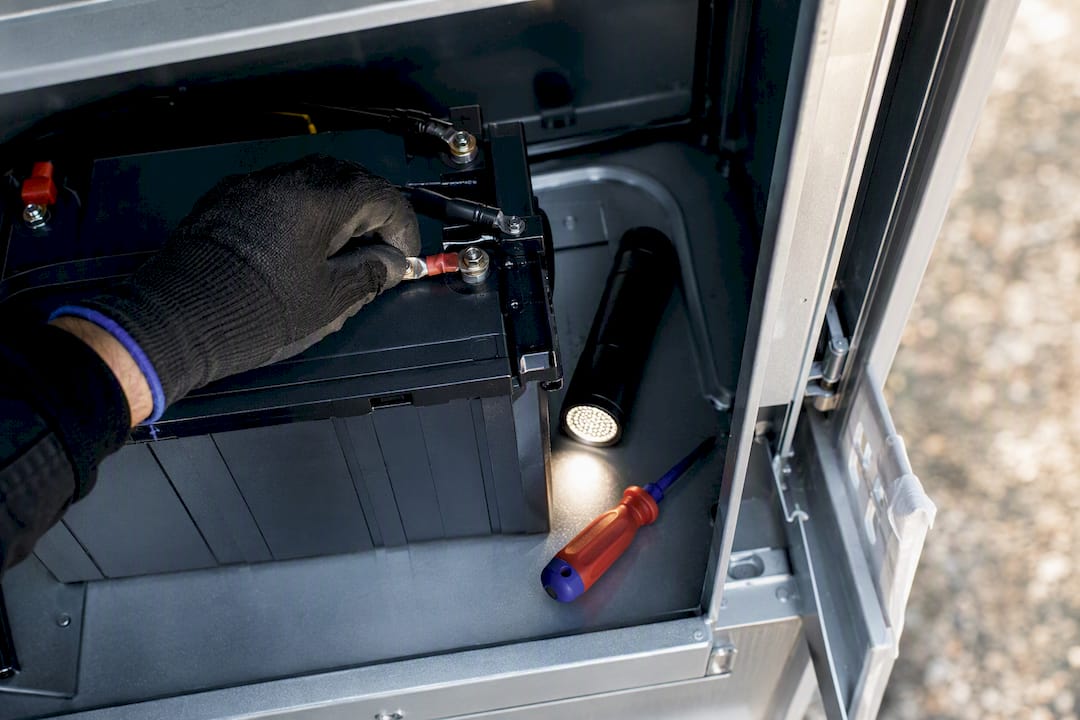
Spare parts logistics matter more for remote sites than centralized ones. If an RTU fails at a site four hours from the nearest technician, having a spare pre-staged regionally cuts downtime dramatically compared to ordering a replacement after the failure.
Software-side maintenance includes reviewing alert rules periodically. Thresholds set during the pilot phase often need adjustment as seasons change or equipment ages, an alert tuned for summer heat may generate false positives all winter if nobody revisits it.
Plan maintenance budgets around both hardware truck rolls and the labor to keep the software configuration current. Neither one is a "set it once" task.
How Do You Train Teams to Adopt Remote Monitoring?
The best monitoring platform fails if the team responsible for acting on its alerts doesn't trust or understand it. Change management here isn't optional overhead, it's what determines whether the investment pays off.
Start training before go-live, not after. Field technicians need to understand what a specific alert means operationally, not just that a threshold was crossed. Regional managers need to know how to read the aggregated view without drowning in site-level noise. Executives need a KPI dashboard that ties back to business outcomes they already track.
Resistance usually shows up as skepticism about alert accuracy. If the first few alerts a technician receives turn out to be false positives, they'll start ignoring the system entirely, and rebuilding that trust takes far longer than building it correctly the first time. Tuning alert thresholds carefully during the pilot phase, as covered earlier, directly protects this adoption curve.
Assign clear ownership at each site rather than treating monitoring as a shared responsibility nobody prioritizes. A named site owner who's accountable for acknowledging alerts and closing tickets keeps the system from becoming background noise everyone assumes someone else is watching.
Document the escalation path clearly enough that a new hire could follow it without asking questions. Netverge's multi-site management guide covers practical operational patterns for structuring this kind of team-wide rollout.
Three Lessons From Watching Multi-Site Rollouts Succeed or Stall
Pilot site selection makes or breaks everything downstream. Pick sites that are too easy and you'll tune alerts that fall apart at your hardest locations. Alert tuning is the second lesson: teams that treat threshold tuning as a one-time task during setup consistently drift into alert fatigue within a year. Third, integrations decide whether the platform gets used daily or ignored after month two.
My caution: don't apply one monitoring policy across every site. A critical substation and a remote retail kiosk don't deserve the same alert sensitivity or patch cadence, and treating them identically is the fastest way to either miss real problems or drown your team in noise.
— Jim
Netverge Maps Directly to the Vendor Scorecard You Just Built
This platform offers a solution to the fragmentation problem this whole scorecard exists to catch, providing one platform instead of multiple disconnected tools pretending to talk to each other.
[Illustration: example monitoring platform dashboard]
Run through the criteria from the evaluation section and Netverge answers each one directly. Consolidated dashboards give you site, regional, and portfolio views from a single login, no toggling between tools to get the full picture. Vergepoints deliver the on-site hardware visibility a pure software platform can't reach on its own. AI-driven triage cuts the manual work of sorting alerts by severity, and native integrations connect monitoring data to your existing documentation and ticketing workflows instead of creating a new silo. For teams evaluating whether they need enterprise-scale features like multi-tenant management and role-based access, Netverge's enterprise capabilities page details what that looks like at scale.
If you're weighing a pilot against your own scorecard, the fastest way to test fit is to see live data on your own infrastructure. Request a demo through Netverge's monitoring platform and bring your hardest site, the one with the worst connectivity and the most alert noise, as the test case.
Sources
- Multi-site monitoring (Comodo blog)
- What Are the Key Components for a Robust Remote Site Monitoring System? - Multitel
- Remote Equipment Monitoring Platforms: The Complete Guide (GlacierGrid)