Change Freeze Policy: How to Write One That Holds
Published
- change freeze policy
- change freeze window

A change freeze policy is a written rule that stops non-emergency changes to production systems during a defined window, with a named path for the exceptions that cannot wait. A good one states the dates, the scope, who approves exceptions and how the freeze ends. For MSPs and multi-site IT teams, it only works if you can see every site's state during the window, which is where unified monitoring, ticketing and documentation in Netverge give the policy something to run on.
This guide covers what a freeze window is, how public institutions define theirs, what to allow during it, how to coordinate distributed teams and how to lift the freeze without a release pile-up.
TL;DR
- A freeze window is a period when changes are not scheduled. It makes sense only when an incident in the window costs far more than delaying work.
- Write down start and end dates, what is frozen, what is exempt, a named exception approver and an emergency route that leaves a record.
- Security fixes and outage repairs need a defined path, because attackers and failing hardware do not observe your calendar.
- Announce the freeze early, collect planned work ahead of it and confirm completion of every change made inside it.
- Plan the first release after the freeze as a risky release, not a routine one.
Table of Contents
- What a change freeze window is
- When a freeze is worth having
- What to put in the policy
- Define what is allowed during a freeze
- Coordinate distributed teams before and during the freeze
- Keep visibility high while changes are low
- Ending the freeze safely
- Where Netverge fits
- Sample policy skeleton
- FAQ
- Sources
What a change freeze window is
A freeze window, sometimes called a deployment blackout window, is a period when changes generally should not be scheduled. Atlassian's change window documentation lists the typical reasons: fewer staff available to watch changes, the period after a major change, and peak usage or business-critical events.
The strictest definitions are blunt. The University of Alaska Anchorage describes a freeze as a period intended to prohibit all changes to production systems, where in-scope changes default to "NO GO" and exceptions need approval from all impacted units and the Change Advisory Board (CAB), the group that reviews proposed changes.
The policy is the document. The window is one instance of it. Write the policy once, with rules that apply to every freeze, and publish each window as a dated calendar entry. That keeps the argument about the rules separate from the argument about the date.
When a freeze is worth having
A freeze trades flexibility for stability, so it needs a justification. ArcRelease's guidance says a freeze makes sense only when an incident in the window would cost much more than delay: peak trading periods, regulatory reporting dates, a migration cut-over or an audit. It also warns that a freeze that runs all the time stops being a freeze and becomes the delivery process.
The operational case is concrete. SecurityWeek reports that poor change management ranked among the top reasons for network outages in a survey, and describes an out-of-process change to a high-availability router cluster during a peak business period that caused an outage and significant revenue loss.
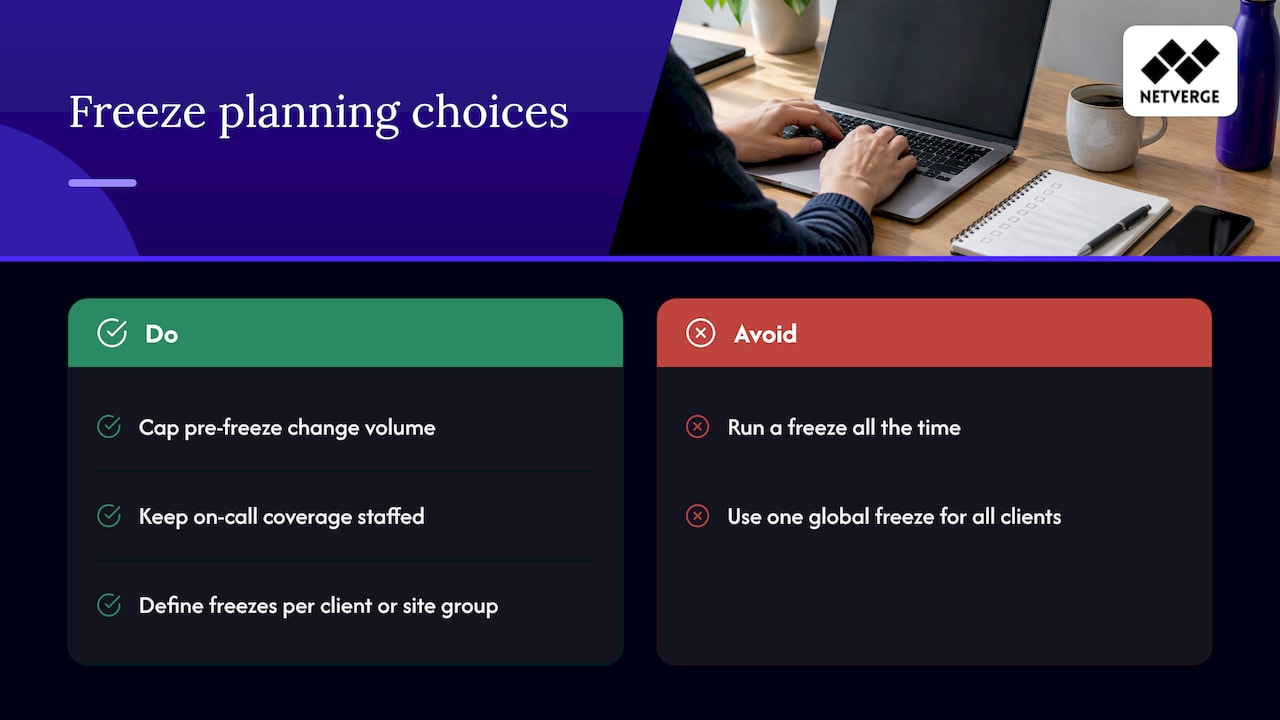
A freeze also has costs you should plan for. Network engineer Lindsay Hill argues that a Christmas freeze pushes engineers to rush a high volume of change into late November and early December, and that fewer skilled staff are around when something breaks over the holidays. Both points are design inputs: cap the pre-freeze change volume and keep on-call coverage staffed for the window.
For an MSP, add one more test. If you manage many client environments, each client has its own peak periods. A single global freeze is rarely right. Define freezes per client or per site group.
What to put in the policy
ArcRelease describes a good freeze as having explicit start and end dates published where teams plan work, a stated scope of what is frozen and what is exempt, an exception path with a named approver and a record, an emergency hotfix route with a post-review, and a way to check the freeze at deploy time. Turn that into a policy with these sections:
- Purpose and trigger. Which business events justify a freeze, and who can call one.
- Scope. Which systems, sites, clients and change types are frozen, and which are exempt.
- Dates and duration. Fixed rules where possible, calendar entries where not.
- Exception process. Who requests, who approves, what the record contains.
- Emergency changes. Definition, approval, documentation and review.
- Communication. Who is told, how early and through which channel.
- Exit. How queued changes are released.
Define dates by rule, not only by calendar
Rule-based dates survive staff turnover. UAA's general rule is that a semester-start freeze begins the Sunday the week before classes start and ends the Friday after the first week, and a semester-end freeze begins the Sunday before finals week and ends the day after grades are due. Each year's calendar then follows mechanically.
Holiday-based rules work the same way for enterprises. The Virginia Department of Transportation's 2026 guidance for operational technology sets freezes from the Friday before Thanksgiving through the following Monday, from the Friday before Christmas through the Monday after New Year's Day, and from three days before to one day after July 4th. It also permits freezes for unforeseen events when the division administrator or a designee decides.
If your business has a seasonal peak, such as retail holidays, tax season or an enrollment period, anchor the rule to that event and let the dates derive from it.
Set the notice period for calling a freeze
Short-notice freezes erode trust. Clemson's IT division states that a yearly freeze calendar is provided each December for the following year, and Prairie View A&M's procedure requires the change coordinator to notify all departments at least 30 days before its fall freeze. Pennsylvania's state policy goes further for a comprehensive blackout: it requires 30 business days' notice, a request form and approval from the state chief technology officer. Once approved, submitters cannot file non-emergency changes in the ITSM tool.
That last detail is the one to copy. A freeze enforced in the change tool holds. A freeze announced in an email gets forgotten.
Define what is allowed during a freeze
A freeze that blocks everything blocks the fixes that protect you. Most published policies split changes into three groups.
| Change type | Typical treatment | Example source |
|---|---|---|
| Routine maintenance, minor patches, non-infrastructure changes | May continue if they do not touch mission-critical systems | PVAMU |
| Critical changes, such as high-severity security patches | Exception request, business input, then CAB review | Stanford |
| Emergency changes to restore or stabilize a service in a major incident | No exception approval, but normal change records and CAB follow-up | Stanford |
Stanford's rule is a useful template: system changes, including security patches below high severity (ratings 4 and 5), are rescheduled until after the freeze. High-severity patches go through an exception request to the Associate Vice President for Enterprise Technology, with business office input and approval before CAB review.
Pennsylvania separates maintenance windows (predetermined times for scheduled work) from blackout windows (when non-emergency changes are restricted or prohibited). Emergency changes are exempt from both, but they need Enterprise Emergency CAB approval and approval from the affected technical area, and high-risk changes notify the CISO or a delegate.
Write a definition of emergency that people cannot stretch
Cal State Stanislaus defines emergency changes as those needed immediately because of current or negative service impacts, such as zero-day patches or hardware failure, and requires approval from at least one Change Control Board member by email. Examples in the policy itself keep the category narrow. "Customer asked for it" and "we are behind" are not emergencies.
Keep security work on the exception path
SecurityWeek's Nimmy Reichenberg argues for a balanced freeze rather than an ice age: before the freeze, security and IT operations agree on a plan for whether to break the freeze for a highly exploitable risk or wait on a low-risk issue on a non-sensitive system. Vulnerabilities and attackers do not pause for a freeze. Pre-agreed severity thresholds, like Stanford's, turn that conversation into a lookup.
Approval stays with people
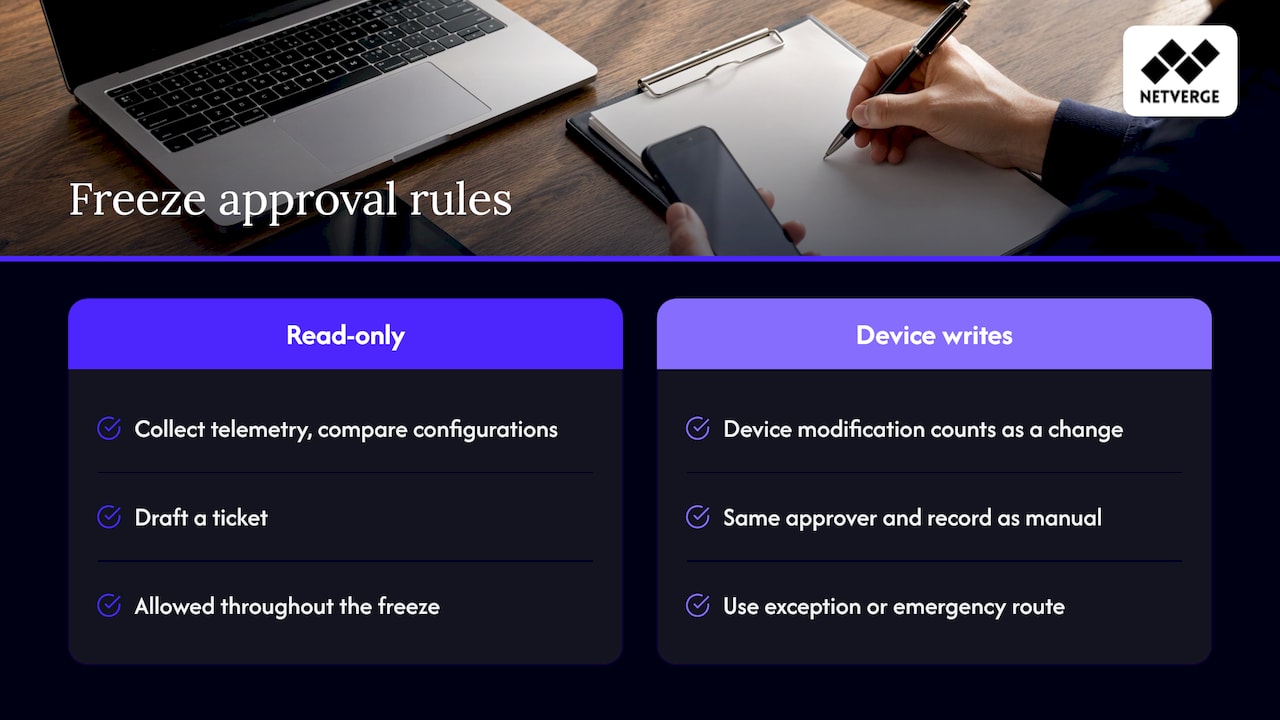
When you add automation to a freeze, the approval rule does not change. Any automated remediation that modifies a device is a change. Inside a freeze it needs the same named approver and the same record as a manual one. Allow read-only diagnosis, such as collecting telemetry, comparing configurations and drafting a ticket, throughout the window. Gate anything that writes to a device behind the exception or emergency route. Our phased rollout for automated remediation walks through how to introduce automated fixes in stages.
Coordinate distributed teams before and during the freeze
The policy fails at the edges: a remote site, a client's local admin, a vendor with its own maintenance schedule. Build coordination around three habits.
Collect planned work before the freeze starts
VDOT's procedure requires approved service-impacting planned work to be reported to the network operations center at least seven calendar days before it begins, with date and time, expected duration and primary contact. Staff notify the center when planned work is complete. For emergency work they update it immediately and confirm the system is fully operational. The center also sends freeze notifications in advance.
Cal State Stanislaus recommends submitting changes that need official stakeholder communication two to three weeks ahead, documented with risks and a back-out plan, reviewed by the submitter's manager and presented at the change control meeting.
Separate the roles
The cisokit.com policy template requires that requester, approver and implementer be different people for each change. It also asks for at least two business days of notice to affected support teams and users before planned disruption, stating the service, impact, schedule and support contact, plus an independent review of emergency changes within 48 hours. In a small MSP, three separate people may be impractical. Keep the principle: the person who approves is never the person who implements.
Tell clients and site contacts the same thing
For an MSP, the freeze notice is a client communication. State the dates, what is frozen, how to report an urgent problem and who answers. Our incident communication templates cover the wording for when something does break inside the window. For the wider picture of running many sites, see our tips for MSPs managing distributed networks.
Keep visibility high while changes are low
A freeze reduces planned change, not failure. Hardware ages, circuits drop and certificates expire whether or not you are in a window. The risk shifts from your own changes to unplanned events, and fewer staff are watching. That raises the value of fast detection and diagnosis.
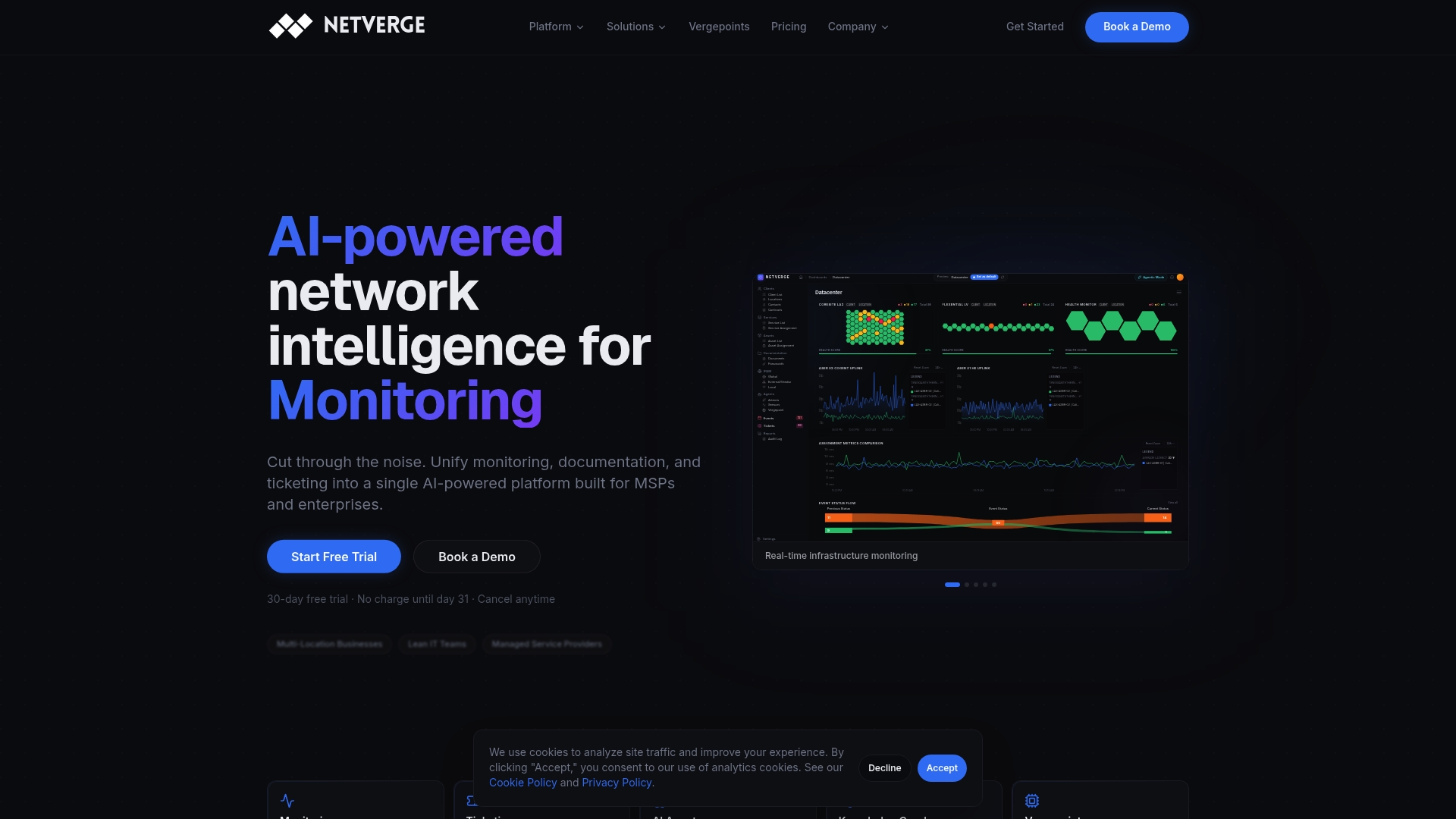
This is where we apply Netverge's capabilities. The platform unifies real-time infrastructure monitoring, anomaly detection, automated troubleshooting, AI-powered ticket triage and network documentation in one place, with multi-tenant management for MSPs and Vergepoints, edge hardware that provides on-site visibility. In a freeze, that means:
- A baseline. Anomaly detection compares behavior against what is normal for each site, so you notice drift from the day the freeze starts.
- Diagnosis without changes. Troubleshooting that reads state and correlates events lets on-call staff decide whether a problem justifies breaking the freeze.
- Triage in one queue. AI-powered ticket triage helps separate genuine outages from noise when staffing is thin.
- Current documentation. Knowledge graphs and network documentation give the engineer approving an exception the context of what depends on what.
For the mechanics of alerting, read our guide to a real-time alerting process, and for how triage speeds up diagnosis, how AI triage changes network outages.
Ending the freeze safely
A freeze does not remove risk. It defers it. ArcRelease notes that a freeze lowers risk during the period but moves risk to the end, as queued changes ship together in larger batches with more dependencies. Plan the first release after the freeze as a risky release, not a routine one.
A workable exit plan:
- Review the queue before the freeze ends. Rank queued changes by risk and dependency.
- Release in small batches. Spread changes across several days rather than the first morning, and avoid stacking changes to the same site or system.
- Keep rollback plans on every item. Each change has a documented back-out step, as Cal State Stanislaus requires.
- Watch the monitoring dashboards. Compare post-change performance against the baseline you held during the freeze.
- Hold a short review. Record how many exceptions and emergency changes occurred, why, and whether the freeze dates and scope should change next year.
Our network change management framework covers approval tiers and post-change verification in more depth.
Where Netverge fits
If you run networks across many clients or locations, a freeze policy is only as good as your view of each site while it is in force. Netverge brings monitoring, ticketing and documentation together, so on-call engineers see the same picture the approver does. The Starter Package is priced at $299 per month on the pricing page. Vergepoint hardware is $49 per month per device, and a software Vergepoint is $29 per month, as listed in the pricing guide. You can estimate your own total with the pricing calculator.
To see how this works across your sites before your next freeze window, start a free trial.
Sample policy skeleton
Use this as a starting point and adapt the numbers to your own approval process:
- Freeze triggers: peak business events, audits, major cut-overs, academic or fiscal calendar events.
- Notice: publish the annual calendar in advance, and announce each window with enough lead time for teams to submit work early.
- Frozen: infrastructure changes, firmware upgrades, routing and firewall rule changes, new site cut-overs.
- Exempt: routine maintenance and minor patches that do not affect mission-critical systems.
- Exception approver: one named role plus a deputy, with business input.
- Emergency approver: one member of the change board, reachable around the clock, with a written record within 48 hours.
- Enforcement: the change tool blocks non-emergency submissions for the window.
- Exit: staged release, rollback plans, post-freeze review.
FAQ
What is the difference between a change freeze and a maintenance window?
A maintenance window is a predetermined time when scheduled changes are allowed. A freeze or blackout window is the opposite: a period when non-emergency changes are restricted or prohibited. Pennsylvania's policy treats them as two separate concepts, and emergency changes are exempt from both.
How long should a change freeze last?
As short as the business event allows. Published examples range from a holiday weekend, as in VDOT's Thanksgiving rule, to several weeks around semester starts and ends at universities. If a freeze runs all year, it has become your delivery process and needs redesigning.
Who can approve a change during a freeze?
The policy should name the role. Stanford routes critical changes to a senior technology executive with business input before CAB review, while Pennsylvania requires the Enterprise Emergency CAB and the affected technical area for emergencies. Whoever it is, they should not also implement the change.
Should security patches wait until the freeze ends?
It depends on severity. Stanford reschedules patches below high severity until after the freeze and sends high-severity ones through the exception process. Agree the thresholds before the freeze begins so the on-call engineer does not have to improvise.
Sources
- What are change windows? (Atlassian)
- When are UAA IT Services' Change Freeze Windows
- Network Changes: Digging Out from the Deep Freeze (SecurityWeek)
- What is a change freeze? (ArcRelease)
- Christmas Change Freeze: Good or Bad? (Lindsay Hill)
- Virginia Department of Transportation, notification procedures for OT systems, 2026
- Pennsylvania Change Management Policy, 2026
- Stanford University IT Freeze Information
- PVAMU Change Management SOP
- Cal State Stanislaus Change Control Procedure, March 2024
- Clemson CCIT Change Management Policy Overview
- Change Management Policy template (cisokit.com)