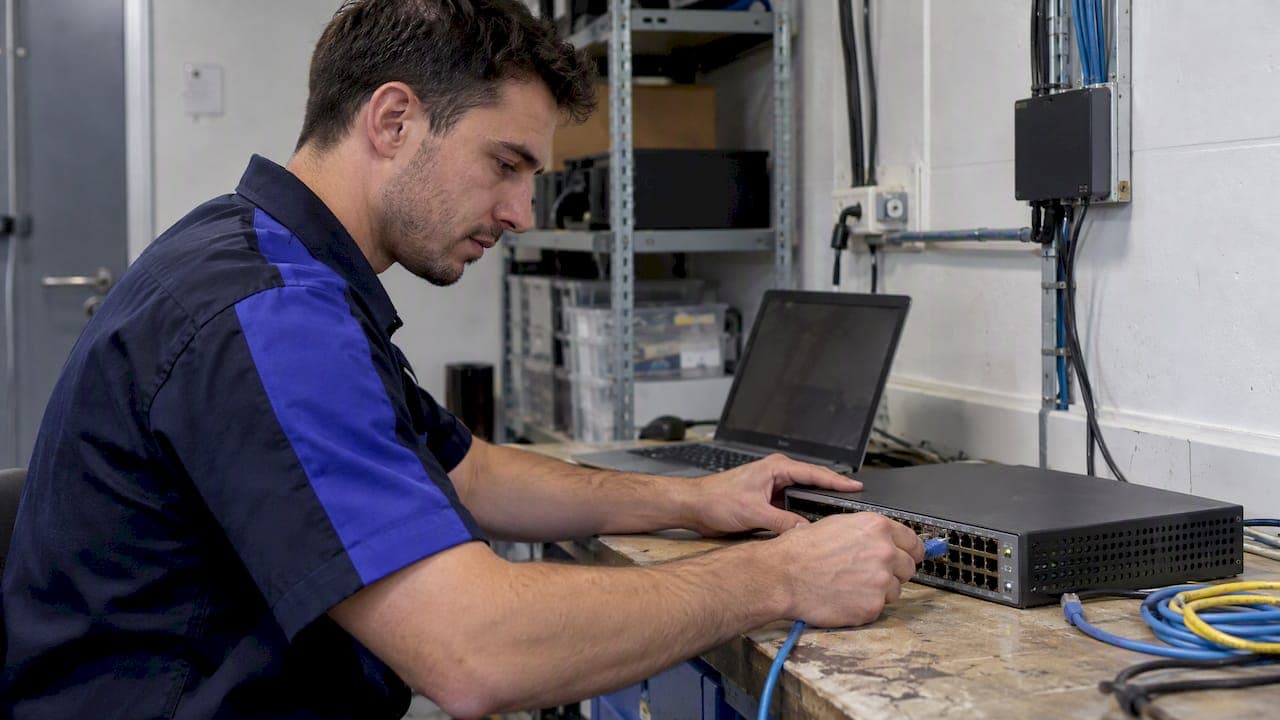
Automated device onboarding replaces manual configuration with orchestrated Day-0 to Day-2 workflows that deliver secure, repeatable, and measurable device provisioning at scale. Standards-based bootstrapping and internal management networks form the backbone of a secure pipeline, while the operational payoff shows up directly in provisioning time, error rates, and support costs. The sections below walk through the architecture, protocols, and rollout steps that make this work in production.
TL;DR:
- Use FDO or BRSKI to establish identity at first connection; when vendors lack support, staging services can apply baselines before delivery, with careful credential handoffs.
- Build Day 2 telemetry and remediation early, because continuous device data enables posture checks and fixes without tickets; version playbooks and test them before production.
- Keep provisioning on internal management networks, rotate factory passwords during activation, use temporary credentials, and automatically verify compliance in the onboarding pipeline.
- Pilot one device type at one site, then expand in validated batches while tracking provisioning time, failure rates, resolution time, and ticket volume.
- Check Windows Autopilot logs before trying again, because powering off before timeouts expire can produce a false failure status rather than a genuine provisioning error.
Table of Contents
- Why Automate Device Onboarding: Benefits and Problems It Solves
- Common Challenges When Onboarding Many Device Types
- Architectural Approaches: Zero Trust, Network-Layer, and Brokered Onboarding
- Standards and Protocols That Bootstrap Device Trust
- Day-0, Day-1, Day-2: A Phase-by-Phase Onboarding Checklist
- Tooling Patterns: Orchestrators, MDM, Brokers, and Telemetry Agents
- Security Best Practices From CISA and NIST Guidance
- Testing and Troubleshooting Before and After Rollout
- Phased Rollout Plan and KPIs for Scaling Automation
- How Netverge Supports Day-2 Onboarding Operations
- An Operations View: Where Onboarding Automation Pays Off First
- Get Started With Netverge for Onboarding and Day-2 Automation
- FAQ
- Sources
- Authoritative Standards and Guides to Consult Next
Why Automate Device Onboarding: Benefits and Problems It Solves
At scale, manual onboarding breaks down fast. Inventory drifts as devices get added outside documented processes, configurations diverge between technicians, and human error creeps into every manual touchpoint. A network operations team managing hundreds or thousands of endpoints cannot rely on spreadsheets and individual judgment calls to keep devices consistent and compliant.
Automation addresses these failure points directly:
- Faster provisioning: Zero-touch and template-driven flows cut the time between unboxing a device and having it production-ready.
- Configuration consistency: Every device follows the same policy, certificate, and application baseline, removing technician-to-technician variance.
- Lower ticket volume: Devices arrive correctly configured, which reduces the break-fix tickets that stem from misconfiguration.
- Audit-ready compliance: Orchestrated workflows leave a consistent record of what was applied, when, and to which device.
CISA's Zero Trust Maturity Model identifies automation and orchestration as a cross-cutting capability for moving device lifecycle management from manual to automated, spanning provisioning, configuration, registration, and deprovisioning. Teams that track provisioning time, mean time to resolution, and ticket volume before and after automation get a clear, defensible picture of the operational gain.
Common Challenges When Onboarding Many Device Types
Before building an automation pipeline, it helps to know where the friction typically comes from. Fleets rarely consist of a single device type running a single firmware version, and that heterogeneity is where most onboarding projects stall.
- Mixed operating systems and firmware: Routers, switches, IoT sensors, and endpoints each expose different management interfaces, credentials, and update mechanisms.
- Inconsistent management ports and protocols: Some devices support modern APIs, others only legacy serial or web consoles, complicating a single automation approach.
- Factory versus deployment credentialing: Devices often ship with manufacturer-set credentials that were never designed for the owner's actual network, creating supply-chain identity gaps.
- Weak asset lifecycle tracking: Without a central inventory, devices get provisioned, forgotten, and never formally decommissioned.
- Change governance gaps: Teams that automate provisioning but skip change approval processes end up with configuration sprawl that's hard to audit later.
Each of these is solvable, but they need to be identified upfront. An automation pipeline built without accounting for credential gaps or inventory blind spots tends to automate the chaos rather than remove it.
Architectural Approaches: Zero Trust, Network-Layer, and Brokered Onboarding
Three architectural patterns dominate modern device onboarding, and most mature environments end up blending them depending on device type and deployment context.
CISA's Zero Trust Maturity Model frames onboarding as a function that spans five pillars: Identity, Devices, Networks, Applications, and Data. Rather than treating device provisioning as an isolated event, the model pushes teams to verify identity and posture continuously across all five, moving incrementally from manual processes toward automated, policy-driven orchestration. A team at the Initial maturity stage can still make progress by automating one pillar at a time, such as credential rotation or inventory discovery, without replacing its entire stack.
Network-layer trusted onboarding, as detailed in NIST's reference builds, takes a different angle: it shifts credential provisioning from the factory to the point of deployment. Instead of baking permanent credentials into a device before it ships, the device receives a unique, verified identity only when it joins its actual operating network. This reduces the supply-chain risk tied to static, pre-loaded credentials and keeps manufacturing costs down since devices stay generic until deployment.
Brokered or staging models fit a specific use case: resellers, OEM partners, or MSPs that pre-configure devices before they reach the end customer, using secure enterprise document distribution to manage configuration artifacts and content efficiently. In these flows, a staging service applies baseline configuration and identity assignment in a controlled environment, then hands the device off for final deployment. This pattern works well when a channel partner needs to prep devices in bulk before they reach distributed sites, though it requires tight coordination between staging and deployment teams to avoid credential handoff errors.

Standards and Protocols That Bootstrap Device Trust
Choosing the right protocol depends heavily on device type and how much control you have over manufacturing. A few standards and mechanisms show up repeatedly across modern onboarding architectures.
FDO (FIDO Device Onboard) and BRSKI (Bootstrapping Remote Secure Key Infrastructure) both solve a similar problem: establishing device identity and ownership without pre-shared secrets baked in at the factory. These "pledge" flows let a device prove who it is and let the network prove it's the legitimate owner, exchanging trust at first connection rather than relying on static credentials. The NCCoE practice guide maps these onboarding functions directly to NIST Cybersecurity Framework subcategories and SP 800-53 controls, giving teams a way to justify the architecture during audits.
Wi-Fi Easy Connect addresses a narrower but common problem: onboarding constrained devices, like sensors or cameras, that lack a full user interface for network setup. It simplifies the process of getting a device securely onto a Wi-Fi network without exposing credentials in plaintext or requiring manual entry on a limited screen.
For enterprise endpoints, MDM and Autopilot-style enrollment flows dominate. Windows Autopilot supports both pre-provisioned (technician-driven) and self-deploying modes, splitting device-level provisioning from user-facing configuration. This separation lets IT handle the heavy lifting before a device reaches an end user, which shortens out-of-box time significantly. These flows work well specifically because they integrate with existing identity providers, letting device trust and user identity verification happen in the same pipeline.
Day-0, Day-1, Day-2: A Phase-by-Phase Onboarding Checklist
Breaking onboarding into three operational phases, a framing widely used in infrastructure automation practice, keeps responsibilities clear and prevents teams from over-investing in initial setup while neglecting the long tail of device management.
- Day-0: Identity and activation. Assign device identity, run zero-touch activation, and complete the pledge-to-owner handoff using a standards-based mechanism where one is available.
- Day-1: Configuration and policy. Apply template-based configuration, deploy certificates and network policy, and push required applications before the device reaches production use.
- Day-2: Telemetry and lifecycle management. Stream posture and health telemetry, run automated remediation on known failure patterns, manage firmware updates, and handle deprovisioning when a device retires.
Concrete artifacts make this repeatable: versioned orchestration playbooks, a documented technician flow for pre-provisioning, and telemetry-driven triggers that kick off remediation automatically rather than waiting for a ticket. Treating these playbooks like software, with version control and staged testing before production rollout, keeps the pipeline auditable as device counts grow.
Pro Tip: Build your Day-2 telemetry triggers before you finish scaling Day-0, since most teams underinvest in the phase that delivers the largest ongoing operational return.
Tooling Patterns: Orchestrators, MDM, Brokers, and Telemetry Agents
Four categories of tooling map to the phases above, and most environments need more than one working together.
Orchestration pipelines function like infrastructure-as-code for devices: versioned templates define the target configuration state, and the pipeline applies it consistently across every device that matches a profile. This is where Day-1 configuration consistency comes from.
MDM and EMM platforms handle enrollment and policy enforcement specifically for endpoints, laptops, phones, and tablets that need ongoing compliance checks alongside initial setup. These tools shine when user identity and device identity need to stay linked throughout the device's life.
Device brokers and staging services solve the OEM and reseller pre-provisioning problem described earlier, applying baseline identity and configuration before a device physically reaches its final site.
Agent-based telemetry is what makes Day-2 automation possible at all. Without a continuous data feed from each device, posture assessment and automated remediation have nothing to act on. A reliable telemetry feed tied to automation playbooks is where integrated platforms tend to deliver the largest operational return, since it closes the loop between detecting an issue and resolving it without a manual ticket.

Security Best Practices From CISA and NIST Guidance
Translating standards guidance into pipeline-level controls keeps automation from becoming its own attack surface.
- Keep provisioning off the public internet. CISA's exposure reduction guidance recommends using internal management networks or Zero Trust policy enforcement points rather than exposing deployment automation directly to the internet.
- Inventory every management interface. CISA's BOD 23-02 implementation guidance expects organizations to maintain automated discovery of networked management interfaces and apply protections where exposure can't be eliminated.
- Replace default credentials immediately. Factory-set passwords should be rotated as part of the Day-0 flow, not left for a later cleanup pass.
- Use short-lived credentials where possible. Credentials that expire on a schedule limit the damage window if a device is ever compromised.
- Build posture checks into the pipeline itself. Compliance verification should run automatically during onboarding, not as a separate audit weeks later.
Our network security practices guide covers additional controls MSPs can apply alongside these onboarding guardrails.
Testing and Troubleshooting Before and After Rollout
A pre-release test matrix should cover identity verification, network reachability, and policy application across every device profile in your fleet, not just the most common one.
- Check provisioning logs before re-enrolling a device. Microsoft's documented known issues note that Autopilot can show an incorrect "Failed" status if a device is powered off before timeouts elapse, which looks like a real failure but isn't.
- Watch timing between technician and user flows. Certificate expiry and token refresh issues commonly surface when too little time passes between pre-provisioning and the first user login.
- Plan for rollback. A failed provisioning run should trigger automated remediation or safe re-enrollment, not a manual cleanup process.
Pro Tip: Allow a sufficient interval between the technician flow and the user flow in lab testing to catch certificate and token-refresh issues before they reach production.
Phased Rollout Plan and KPIs for Scaling Automation
A pilot-to-scale approach limits risk while proving operational value early.
- Define pilot scope and success criteria. Pick one device type and one site, and set clear pass/fail thresholds before starting.
- Expand stepwise. Add device types or sites in controlled batches, validating each before moving to the next.
- Track KPIs continuously. Measure provisioning time, provisioning failure rate, mean time to resolution, and ticket volume throughout.
- Set rollback triggers. Define in advance what failure rate or error pattern pauses the rollout for review.
Our phased rollout guidance for automated troubleshooting walks through a similar stepwise pattern applied to brownfield network environments.
How Netverge Supports Day-2 Onboarding Operations
Day-0 and Day-1 automation get a device onto the network. Day-2 is where the operational payoff compounds, and that's where integrated monitoring and AI automation matter most. We built our platform to unify monitoring, documentation, ticketing, and automation into one system rather than leaving teams to stitch together separate tools after onboarding completes.
Hardware Vergepoints add physical, on-site visibility that software-only agents can miss, while our autonomous AI agents correlate telemetry against known issue patterns and escalate only the incidents that actually need human attention. Our AI automation workflows show how this telemetry-to-remediation loop plays out in practice.
An Operations View: Where Onboarding Automation Pays Off First
Prioritize Day-2 telemetry integration before chasing a fully automated Day-0 flow. It delivers faster, more visible returns. Use standards-based bootstrapping wherever your device vendors support it, and fall back to pragmatic staging models everywhere else. Automate remediation for your highest-volume failure patterns first since that's where ticket reduction shows up fastest.
— Jim
Get Started With Netverge for Onboarding and Day-2 Automation
Everything covered above, inventory visibility, telemetry correlation, automated remediation, maps directly to what we built our platform to do. Instead of stitching together separate monitoring, documentation, and ticketing tools after your onboarding pipeline hands off a device, we keep all three connected from Day-2 onward.

Our Starter Package runs 299 USD per month, with Hardware Vergepoints available at 49 USD per month per device and Software Vergepoint at 29 USD per month per vergepoint for teams that need additional on-site visibility. If you're ready to see how integrated telemetry and automation handle your fleet's Day-2 workload, start your free trial or review our Vergepoints hardware overview to plan your deployment.
FAQ
What is automated device onboarding?
Automated device onboarding replaces manual, technician-driven configuration with orchestrated workflows that assign identity, apply policy, and verify compliance without repetitive manual steps. It typically spans Day-0 activation, Day-1 configuration, and Day-2 ongoing lifecycle management.
How does zero trust apply to device onboarding?
CISA's Zero Trust Maturity Model treats device onboarding as one of five interconnected pillars, alongside identity, networks, applications, and data, that all require continuous verification rather than a one-time check at setup. Automation and orchestration are identified as the capability that moves this verification from manual to continuous.
What's the difference between at-manufacture and at-deployment provisioning?
At-manufacture provisioning bakes credentials into a device before it ships, while at-deployment provisioning, the approach recommended in NIST's reference guidance, assigns unique credentials only when the device actually joins its operating network. This keeps factory costs lower and reduces the risk tied to static, pre-loaded identity.
Why does CISA recommend against internet-exposed management interfaces?
CISA's BOD guidance expects organizations to inventory and automate discovery of networked management interfaces specifically because exposed interfaces are a common entry point for attackers during initial provisioning. Keeping provisioning automation on internal management networks, rather than reachable from the public internet, closes that exposure window.
How do I troubleshoot a failed Windows Autopilot provisioning run?
Check the provisioning logs first, since Microsoft's documented known issues show that a device powered off before timeouts elapse can display an incorrect "Failed" status. Allow enough time between technician and user enrollment flows before assuming a genuine failure and re-enrolling the device.
Sources
- Zero Trust Maturity Model Version 2.0
- NIST SP 1800-36e: Trusted IoT Device Onboarding and Lifecycle Management (overview)
- BOD 23-02 implementation guidance
- Windows Autopilot for pre-provisioned deployment (Azure AD join workflow)
- NCCoE NIST SP 1800-36e final (IoT onboarding practice guide)
Authoritative Standards and Guides to Consult Next
For primary technical detail beyond what's covered here, NIST SP 1800-36e provides full reference builds for trusted IoT onboarding, while CISA's Zero Trust Maturity Model and its BOD implementation guidance detail exposure reduction requirements. Microsoft's Autopilot pre-provisioning tutorial covers endpoint-specific enrollment flows in depth.