
IT automation is defined as the use of software and AI-driven workflows to execute repetitive IT tasks without manual intervention. Template-driven automation can improve delivery speed by nearly 50%, saving over 225 work hours and approximately $61,000 in labor costs. For IT professionals managing distributed infrastructure, service desks, and security operations, the examples of IT automation covered here represent the clearest path from reactive firefighting to proactive control. The standard industry term for this discipline is IT process automation, and it spans everything from ticket triage to network fault detection.

Common examples of IT automation that increase team efficiency
IT process automation covers a wide range of use cases. The most impactful ones target the tasks that consume the most engineer time with the least strategic value.
- Automated ticket triage and routing. AI classifies incoming tickets by category, urgency, and affected system. One team automated 28% of its IT tickets using AI-driven help desk workflows, enabling 3 people to manage IT for 1,800 employees.
- Password reset automation. Password resets account for 20–50% of all help desk calls and cost over $70 in labor each. Automating them removes the single largest category of repetitive L1 work.
- Network monitoring and alert correlation. Automated monitoring tools collect telemetry from devices, correlate anomalies, and generate alerts without human polling. Netverge uses this approach to surface faults across distributed networks in real time.
- User onboarding and offboarding. Workflows triggered by HR system events automatically provision or deprovision accounts, licenses, and access permissions across Active Directory, SaaS apps, and VPN profiles.
- Software patch management. Scheduled automation scans endpoints for missing patches, tests updates in a staging environment, and deploys them during maintenance windows without engineer involvement.
- Endpoint configuration enforcement. Automation continuously checks device configurations against a baseline and remediates drift. This is the IT equivalent of a self-correcting system.
- Incident escalation workflows. When a monitoring alert crosses a severity threshold, automation creates a ticket, notifies the on-call engineer, and attaches relevant diagnostics before anyone touches a keyboard.
Pro Tip: Start with the task your team complains about most. If password resets dominate your ticket queue, automate that first. A single high-volume win builds organizational confidence faster than automating ten low-frequency tasks.
How AI-driven automation tools go beyond traditional scripting
Traditional scripting handles predictable, linear tasks well. AI-driven IT workflow automation handles ambiguity, context, and multi-step decisions that scripts cannot.
- LLM-based ticket classification. Large language models read ticket text and classify intent, urgency, and affected service. This replaces rigid keyword rules that break whenever users phrase requests differently.
- Stateful agent workflows. Pure prompt-based AI fails when a task requires multiple steps or depends on earlier context. Stateful agentic workflows using tools like LangGraph on Amazon EKS persist context to a database like DynamoDB, so the agent remembers what happened in step one when it reaches step five.
- Confidence-based routing to human engineers. When an AI agent's confidence score falls below a threshold, it escalates the ticket to an L2 or L3 engineer with full context attached. This prevents AI from guessing on high-stakes issues.
- On-premises AI models for security triage. SoftBank deployed an on-premises open-source AI model achieving 80.75% accuracy at categorizing software into 17 security policy categories. On-premises deployment met strict data privacy requirements that cloud-based LLMs could not satisfy.
- 24/7 sub-minute resolution. Automated service desk tools resolve common L1 tasks in under a minute and operate around the clock. Human analysts shift their time to complex problems that actually require judgment.
"The most challenging friction in automation adoption is organizational. Integrating diverse tools into unified workflows with APIs and webhooks is more complicated than writing the automation code itself."
This insight reflects what most IT teams discover after their first automation project. The technology is rarely the hard part.
Best practices for designing reliable IT automation workflows
Automation built on messy processes produces messy results at scale. The discipline of IT workflow automation requires process clarity before code.
- Standardize runbooks before automating them. Automating an unstandardized process creates technical debt immediately. BDO's work with the Euclid program produced 14 production runbooks with uniform logging, dependency checks, and error handling before a single line of automation ran in production.
- Treat automation as code. High-performing IT teams apply version control, logging, and rollback to their automation workflows exactly as they would to application code. This prevents a failed automation run from causing a service outage with no recovery path.
- Build observability into every workflow. Every automated task should emit logs, expose status, and trigger alerts on failure. If you cannot see what your automation is doing, you cannot trust it.
- Integrate across tools using APIs and webhooks. Siloed IT tools require a middleware layer to connect ITSM platforms, identity providers, and endpoint managers. Skipping this integration step produces fragile automations that break when any single tool changes.
- Design explicit rollback paths. Every automation that modifies configuration or access should have a defined rollback procedure. Test the rollback before the automation goes live, not after an incident.
Pro Tip: Map your IT automation workflows on a whiteboard before writing any code. If the process is unclear on a whiteboard, it will be unclear in production. Clarity at the design stage is the cheapest form of quality control.
How to measure the ROI of IT automation initiatives
Measuring automation impact requires tracking specific operational metrics before and after deployment. Vague claims about efficiency gains do not justify budget or headcount decisions.
| Metric | What to measure | Target outcome |
|---|---|---|
| Labor hours saved | Hours per week spent on automated tasks before vs. after | Reduction of 40%+ on targeted task categories |
| Ticket resolution time | Average time from ticket open to close | Sub-minute for L1 tasks; reduction of hours for L2 |
| Automation coverage | Percentage of total IT tasks handled without human input | Increase toward 25–30% of total ticket volume |
| Backlog size | Open ticket count at end of each week | Consistent downward trend over 60–90 days |
| Employee satisfaction | Survey scores from internal IT service consumers | Measurable improvement tied to faster resolution |
Successful automation measurement tracks labor hours saved, ticket resolution times, automation coverage, and satisfaction levels as a combined scorecard. A single metric tells an incomplete story.
The BDO case study is the clearest published benchmark available. Template-driven runbooks produced a nearly 50% speed improvement and approximately $61,000 in labor cost savings over four months. That result came from 14 standardized runbooks, not from automating everything at once.
Password reset automation alone produces measurable ROI quickly. At over $70 per manual reset, eliminating even 500 resets per month generates more than $35,000 in annual labor savings. Automation that reduces L1 tasks by 60–85% across a mid-size service desk produces ROI within the first quarter of deployment.
Key Takeaways
IT automation delivers the highest ROI when teams standardize processes first, automate high-volume tasks second, and measure outcomes with specific operational metrics from day one.
| Point | Details |
|---|---|
| Standardize before automating | Document and clean up runbooks before writing automation code to avoid technical debt. |
| Target high-volume L1 tasks first | Password resets, ticket routing, and patch management produce the fastest measurable returns. |
| Use stateful AI for complex workflows | Persistent context prevents AI hallucinations in multi-step ticket handling and escalation. |
| Measure with a combined scorecard | Track labor hours, resolution times, automation coverage, and satisfaction together. |
| Integrate tools via APIs | Connecting ITSM, identity, and endpoint systems through APIs is the hardest and most critical step. |
What I've learned from watching IT automation projects succeed and fail
The teams that get IT automation right share one habit: they resist the urge to automate everything at once. The teams that struggle do the opposite. They pick the most complex, highest-visibility process, automate it poorly, and spend the next six months explaining why the automation made things worse.
The real-world IT automation examples that produce lasting results start small and boring. A team automates password resets. Then account provisioning. Then patch deployment. Each win builds the operational muscle to handle more complex workflows. By the time they tackle network fault correlation or security triage, they have version control, logging, and rollback in place as habits, not afterthoughts.
AI adds genuine capability to IT automation, but it also adds new failure modes. A stateless AI agent handling a multi-step ticket will hallucinate context it does not have. The fix is not a better model. The fix is persistent state, which means engineering work, not just a prompt change. Teams that treat AI as a drop-in replacement for scripted automation learn this lesson the hard way.
The organizational challenge is consistently underestimated. Connecting your ITSM platform to your identity provider to your endpoint manager through APIs and webhooks takes longer than writing the automation itself. Budget for integration work at least as generously as you budget for the automation logic. The teams that do this ship automation that actually runs in production. The teams that skip it ship automation that works in demos.
Human oversight is not a sign that automation failed. Confidence-based escalation to L2 and L3 engineers is a feature, not a fallback. The goal is not to remove humans from IT operations. The goal is to remove humans from the tasks that do not require them.
— Jim
Netverge's AI-powered platform for IT automation
Netverge unifies network monitoring, ticketing, and automation into a single AI-powered platform built for MSPs and multi-location enterprises.
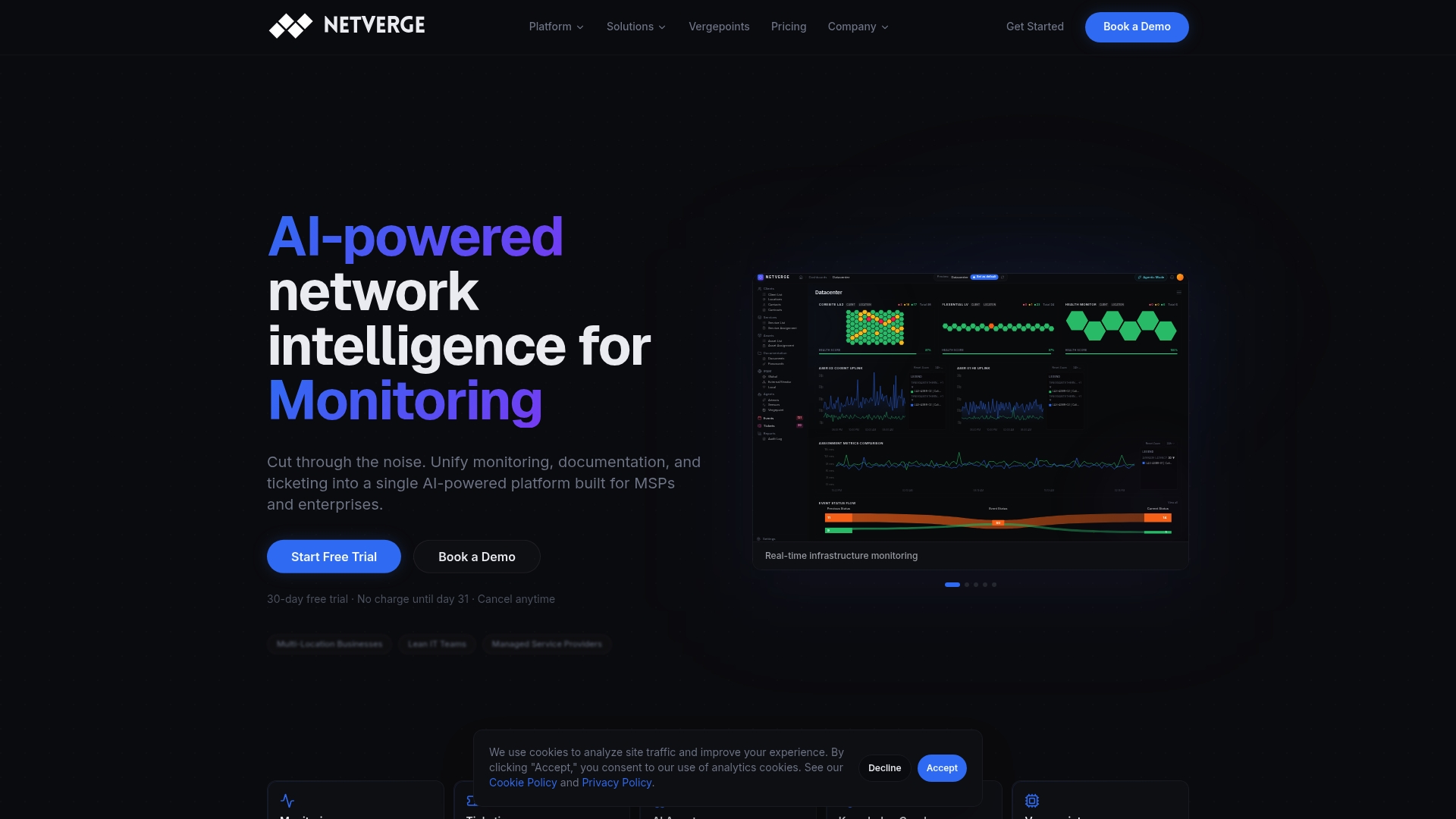
The platform's autonomous AI agents detect anomalies, correlate events, and generate tickets without waiting for a human to notice a problem. Netverge's AI-powered network monitoring gives your team real-time visibility across distributed infrastructure, while the AI-driven ticketing system handles triage, escalation, and resolution workflows automatically. If your team is managing IT across multiple sites with fragmented tools, Netverge consolidates that visibility into one interface. Request a demo to see how the platform performs against your current monitoring and service desk setup.
FAQ
What are the most common examples of IT automation?
The most common IT automation use cases are ticket triage, password resets, user provisioning, patch management, and network monitoring alerts. These tasks are high-volume, repetitive, and well-suited to automation because they follow predictable rules.
How much time can IT automation save?
Template-driven IT automation can improve delivery speed by nearly 50% and save over 225 work hours in a single project cycle. Password reset automation alone eliminates a task that accounts for 20–50% of all help desk call volume.
What is the difference between scripted automation and AI-driven automation?
Scripted automation handles linear, predictable tasks with fixed rules. AI-driven automation handles ambiguous inputs, classifies intent from natural language, and routes decisions based on confidence scores rather than hard-coded conditions.
How do you avoid hallucinations in AI-based IT automation?
Stateful agentic workflows that persist context to a database prevent AI from losing track of earlier steps in a multi-step process. Pure prompt-based AI without persistent state is the primary cause of hallucinations in IT automation workflows.
What metrics should you track to measure IT automation ROI?
Track labor hours saved, ticket resolution times, automation coverage as a percentage of total tickets, backlog size, and employee satisfaction scores. Using all five metrics together gives a complete picture of automation impact.